


It’s been another quarter filled with tweaks, updates, and additions in SAGE services. See what developers have been busy doing this spring to continue to make SAGE business management services serve you in the best ways possible.

Presentation Wizard
The AI-powered Presentation Wizard has been updated. It can now detect and apply budget and quantity details directly from prompts. Users can also narrow down the products used by selecting preferred supplier groups, delivering more relevant results.
SAGE CRM (Clients Module)
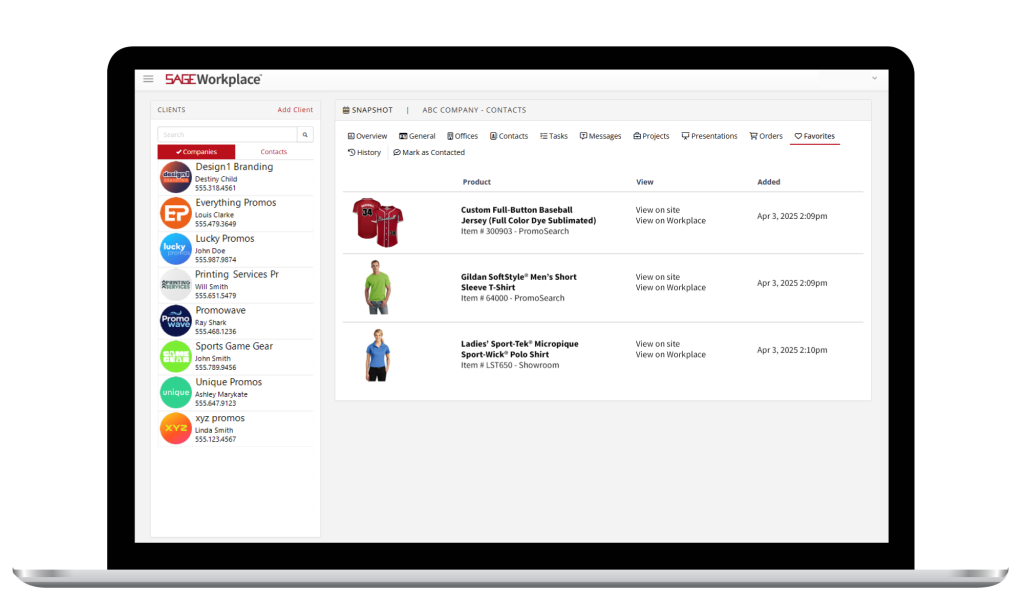
You can now filter tasks to “mine” or “everyone” so it’s clear who is responsible for making sure things get done. You can also see which products your clients are favoriting on your SAGE Website or Store.
Catalog Studio

Create a fully-branded, interactive experience for your customers with the new sidebar menu feature in SAGE Catalog Studio. This sidebar enables you to seamlessly display contact information, your logo, brand messaging, and up to three calls to action next to each page of a digital catalog.
Email Campaigns
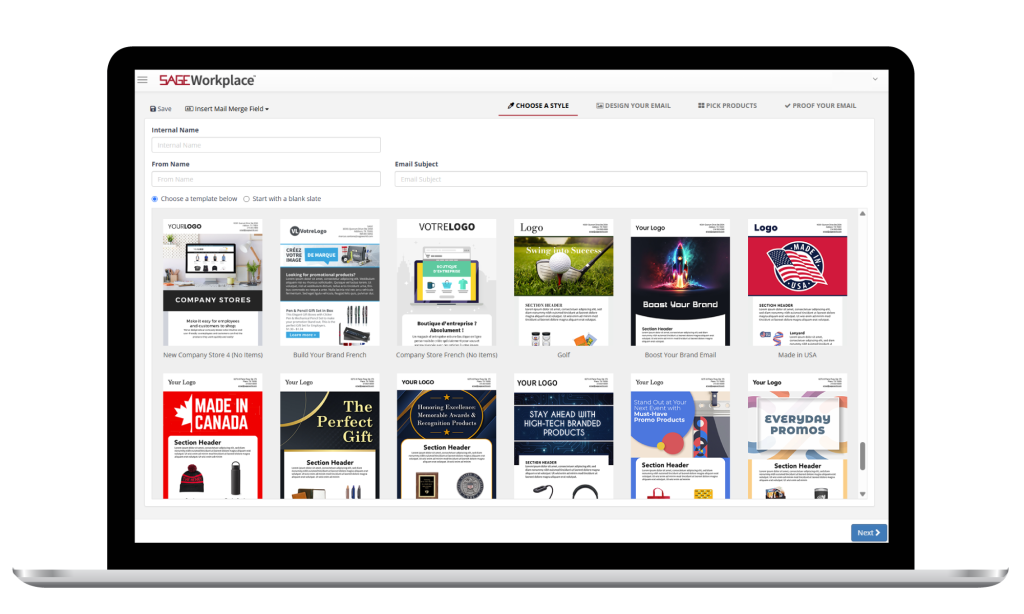
Find 10 new, pre-designed email templates for your next bulk email in the Email Campaigns tab of SAGE Workplace. These are in addition to over 100 other templates you can use. Simply click “Email Designs” and then “New Design” to see all the options.

Pick a page, any page. In addition to the feature updates and introductions mentioned below, SAGE Website users can now make any webpage the homepage or a landing page, giving you even more control over the look and feel of your website.
Image Generator v2
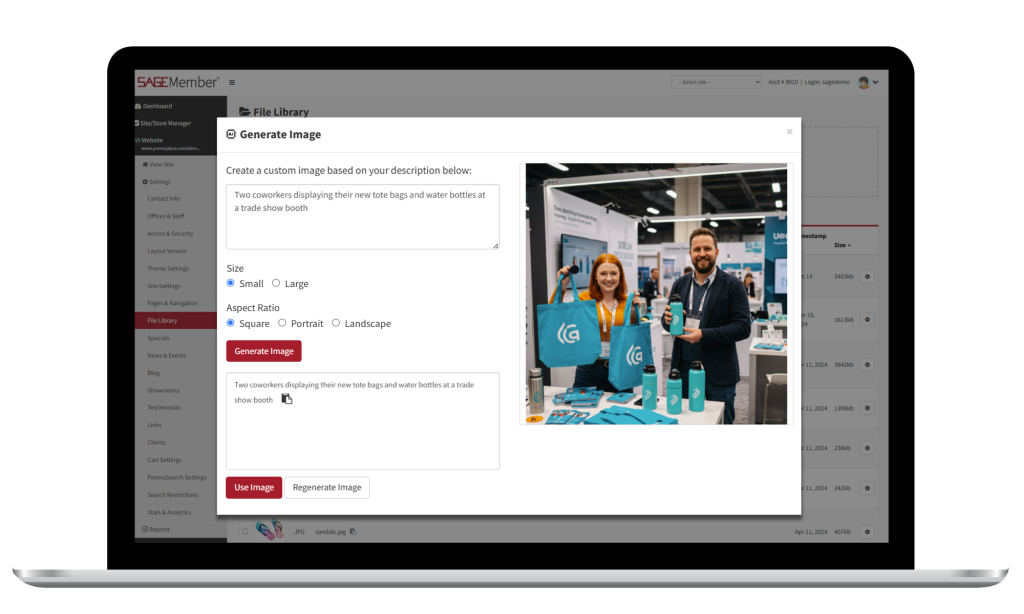
With the release of the enhanced Image Generator (Image Generator v2), users will notice the AI-powered tool produces more realistic looking imagery faster than before. The images produced have smaller file sizes to ensure your website continues to perform as quickly as possible. There are no copyright issues or licensing restrictions with the images you produce with the Image Generator v2. The images you create are 100% yours.
Widgets
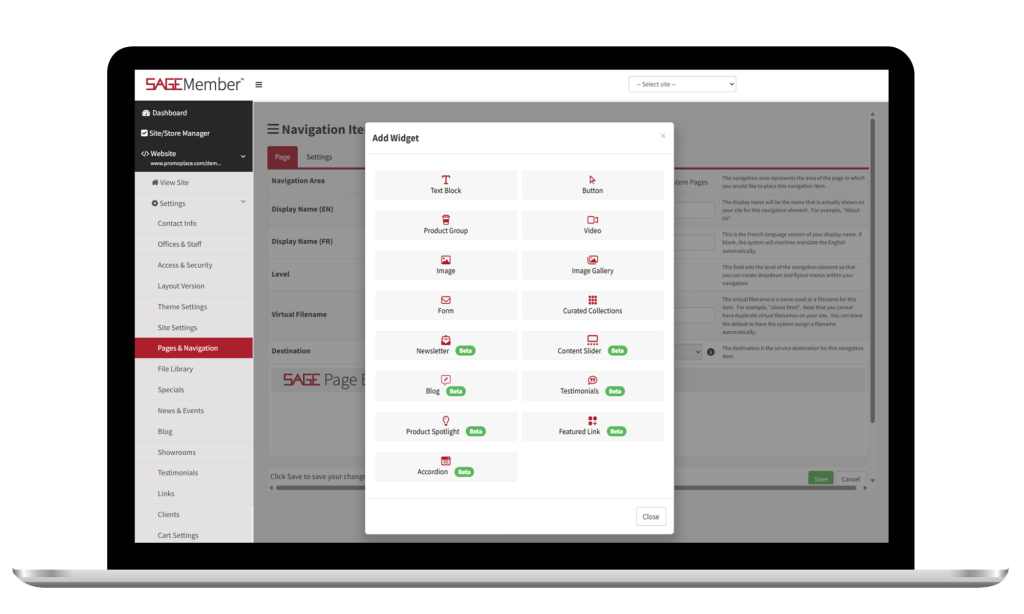
While SAGE Websites have never truly been templates, the addition of a collection of custom widgets shows there’s no doubt. These widgets allow users to customize each and every page of the website to fit your specific needs with professional-looking results that make you brand shine brightly.
Favorites
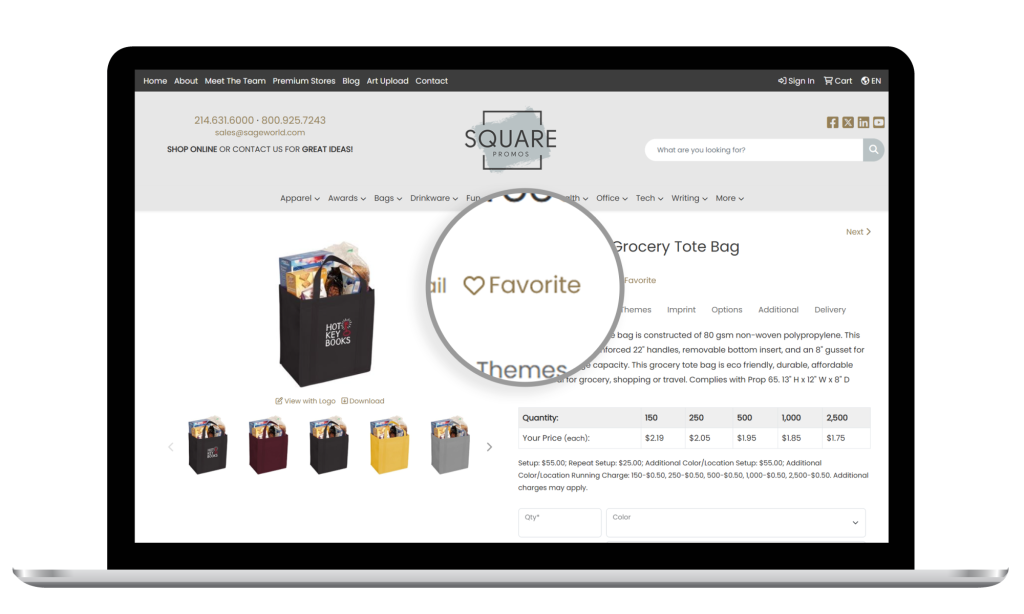
The Favorites feature on SAGE Websites and Stores enables your clients to easily save products for later. It’s also visible to you, the distributor, to help inform you about trends and client-specific preferences.
Product Ratings
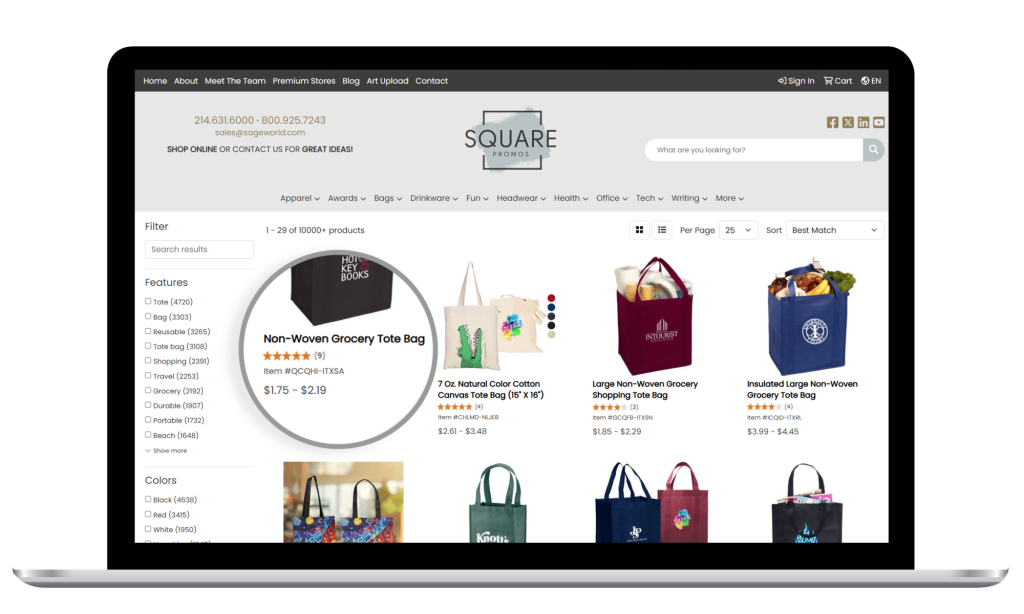
Help your clients make informed decisions about which products to choose when you include product ratings pulled directly from the SAGE database. It builds trust and adds credibility to your site.
Rich Text Editor
SAGE developers have added a rich text editor for use in the back end of SAGE Websites and Stores, giving users even more control over details and customizations.

Suppliers who take advantage of the design capabilities found in the SAGE Virtual Design Studio will love seeing some of the latest updates. Now you can erase a logo from an image using a highlighting method rather than mapping points. They’ve also introduced opacity for shapes and a gradient fill option to add even more pizzazz to designs.
Exploring these new updates should keep you entertained until next quarter’s recap. Happy promoting!
0 Comments