

Since SAGE Workplace was designed specifically for the promotional products industry, it comes packed with features that make managing your projects simpler than ever. The CRM, Project Management, and Order Management modules give you everything you need to track client information, organize your workflow, and manage orders smoothly. Here are some practical tips to help you stay organized in SAGE Workplace.
1. Import Clients into CRM
This is the first step toward organizing your workflow in SAGE Workplace. Once your clients are added to the CRM, that information flows across all modules, including Project Management and Order Management. This means you are not re-entering data and can easily track clients, projects, and orders in one connected system.
The CRM module is a straightforward way to keep all your client history in one place while improving your customer service. You can store contact details, track leads, record sales opportunities, schedule follow-ups, and link presentations and order forms directly to each client.
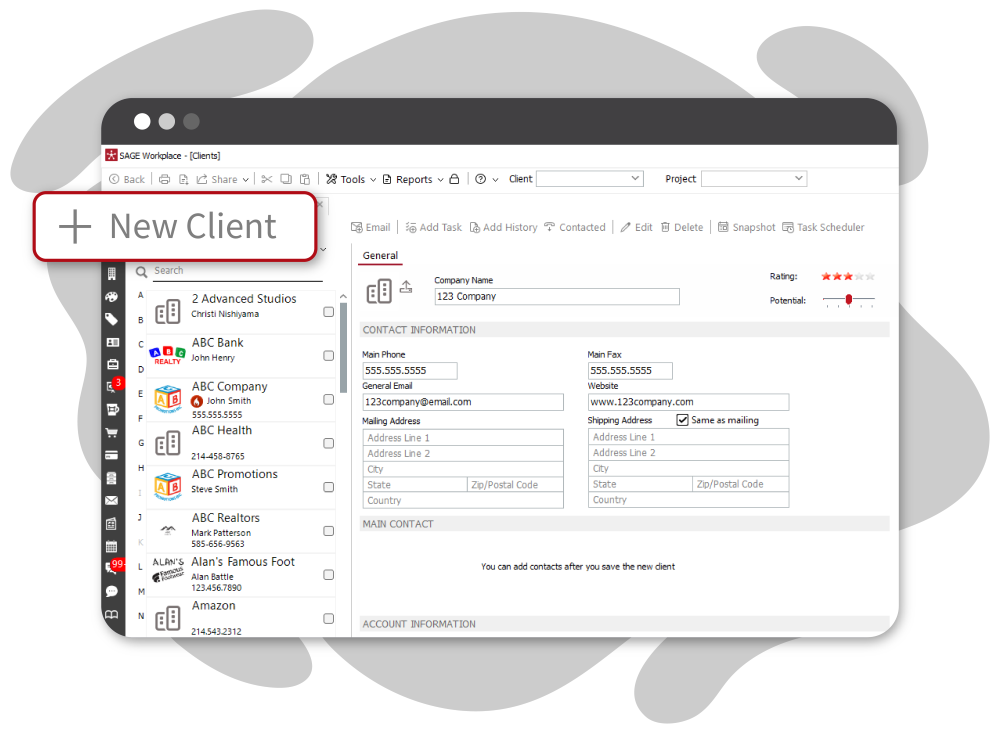
To manually add a new client, go to the Clients module and click “New Client”. From there, add company details such as name, contact information, and any specifics, such as custom discounts or shipping preferences.
If you prefer to import clients from an Excel spreadsheet, use the checklist to make sure your contact list is formatted correctly before uploading.
2. Add Client Logos
Adding client logos makes creating virtual samples, presentations, and Catalog Studio catalogs much easier. Once logos are uploaded, you can instantly apply your client’s branding to products in a presentation with just one click, saving you time and keeping everything consistent.
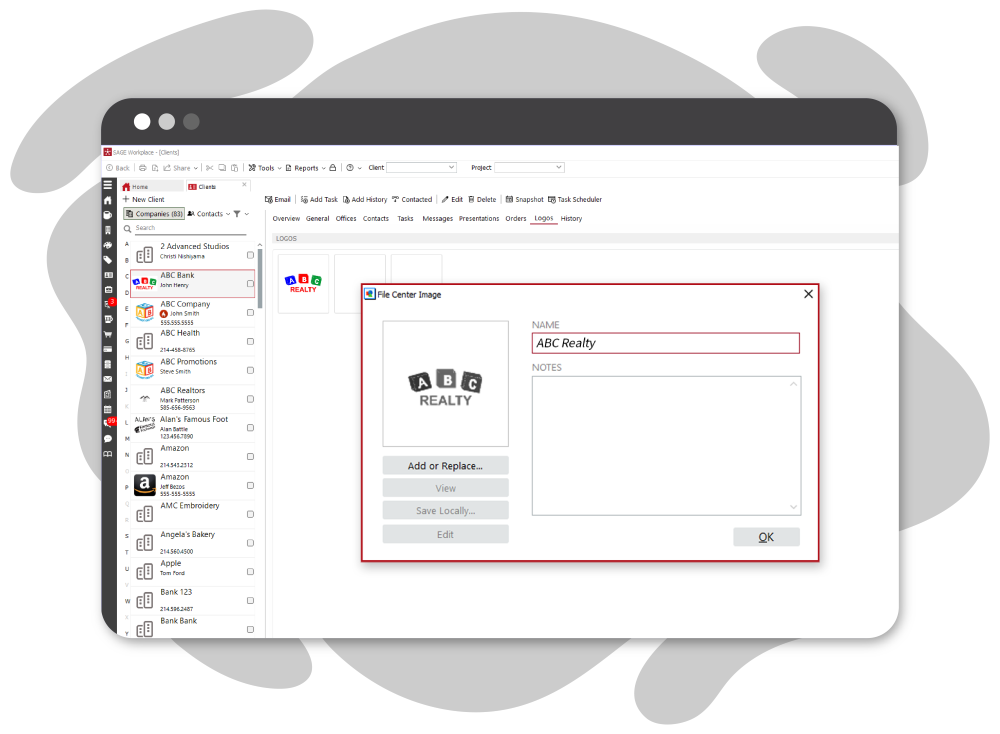
To upload a logo, select a company from the list on the left and click “Logos” in the top menu, then click “Add Logo. You can upload multiple versions, such as full-color, one-color, or simplified designs, so you always have the right option ready for any project.
3. Customize Your Project Workflow
Every business has its own way of managing projects, and SAGE Workplace makes it easy to tailor your workflow to match how you work.
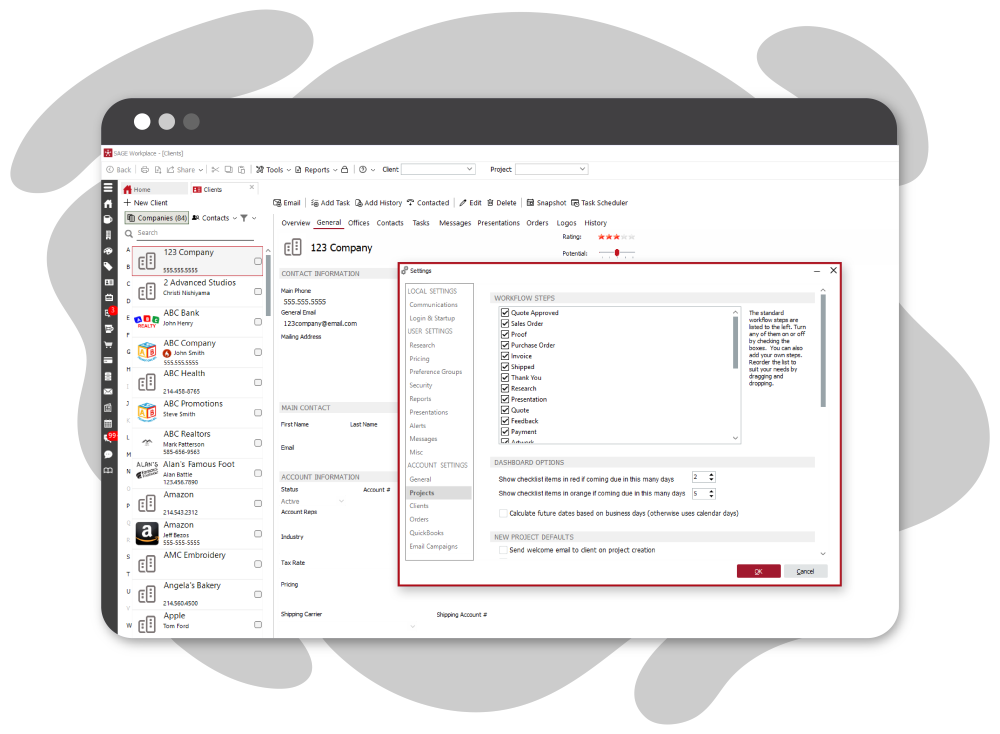
You can customize each step of your project process so it reflects your team’s day-to-day operations. This helps keep projects moving smoothly and ensures everyone stays on the same page.
To adjust your workflow, go to “Tools” in the top menu, then select “Settings” and click on “Projects.” You’ll see a default workflow that you can modify by turning steps on or off using the checkboxes. You can also drag and drop steps to reorder them in a way that makes sense for your process. You’ll also find 10 blank custom steps available, allowing you to add anything that’s missing.
While you’re there, take a moment to review the Dashboard Options and New Project Defaults to make sure everything is set up to support your team’s needs.
4. Create a Project
The Project Management module in SAGE Workplace helps you keep everything related to a project in one place, from searches and presentations to forms and communication.
To get started, open the “Projects” module from the left menu and click “New” at the top of the page. From there, enter a project name, select a client, add an event date, and include any additional details in the description.
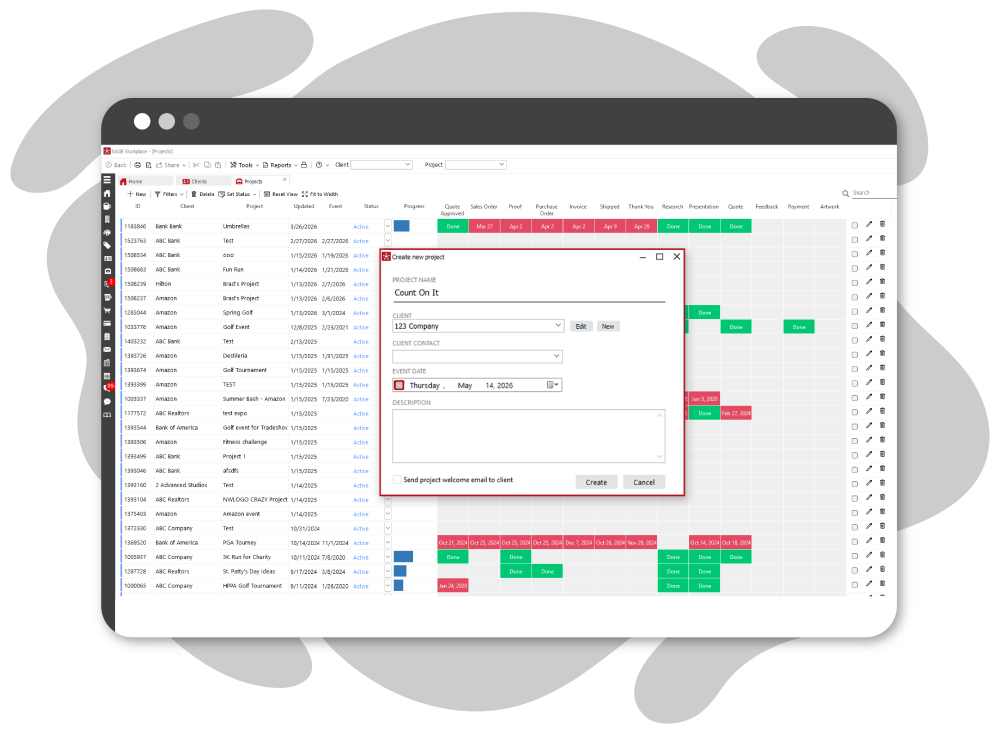
Once your project is created, you’ll see your workflow steps on the left-hand side, where you can assign due dates to keep everything on track. You can also start a search, presentation, or form directly within the project. Everything will automatically link to the associated client and project, helping you stay organized without extra steps.
5. Share the Client Dashboard
Keep your clients informed throughout every stage of a project by sharing their “MyPromoDashboard” link. You can find this link on the General tab within each project.
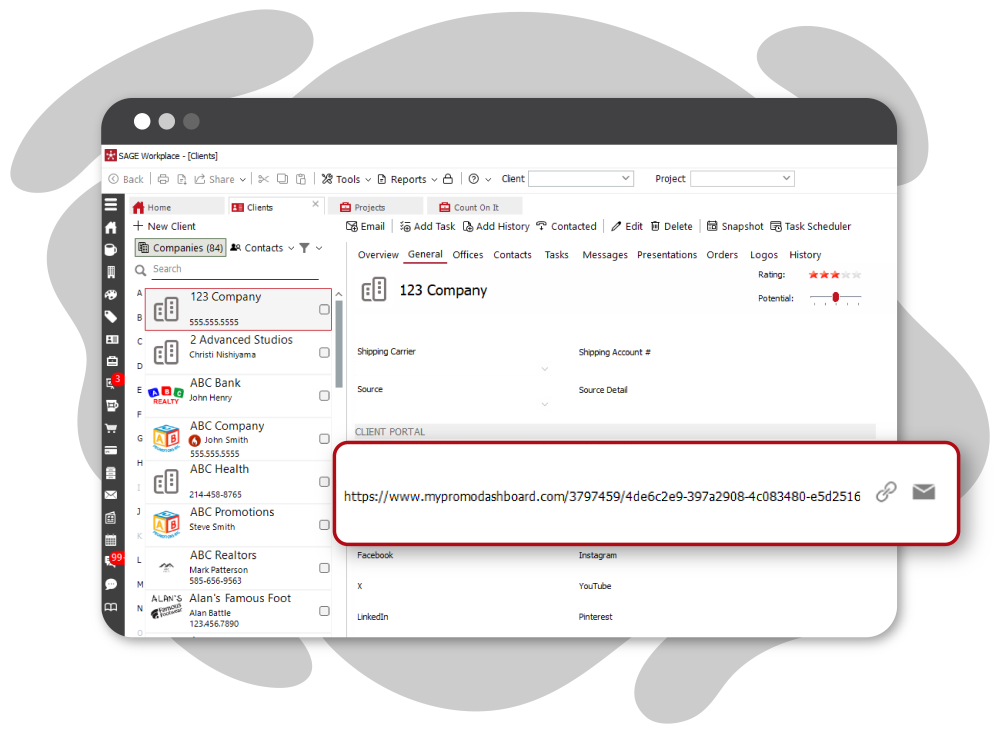
Once they have access, clients can upload artwork, provide feedback, review and approve proofs, make payments, and track shipping details, all in one place. This helps streamline communication and keeps everything moving forward efficiently.
From storing client information to streamlining your day-to-day operations, the Project Management, CRM, and Order Management modules in SAGE Workplace will make running your business easy and efficient. All of these amazing features and more are available to SAGE Workplace subscribers at no additional cost!
0 Comments