


At SAGE, we’re all about helping you save time and make running your business feel a whole lot easier. Even shaving a few minutes off the tasks you do every day can add up fast, leaving you with more time to focus on the bigger, more exciting stuff. Whether you’re just getting started with SAGE or you’ve been using it for years, here are five of our favorite tips and tricks to help you streamline your business and work smarter.
Set Up Preference Groups
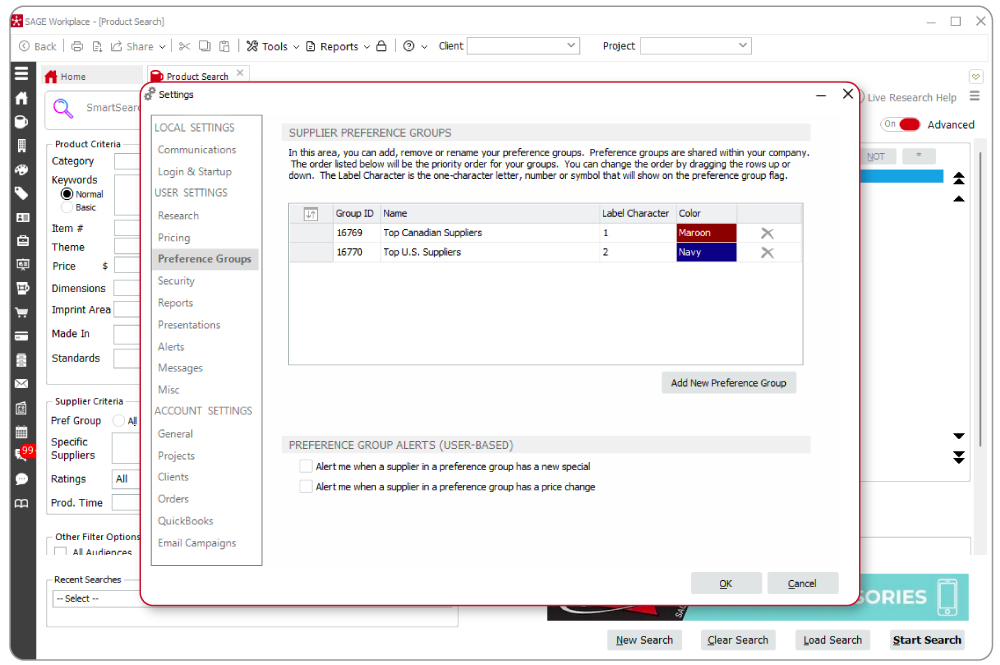
If you’re looking for an easy way to save time when searching for products, this might be one of the best things you can do. If you have go-to vendors you love working with, you can add them to a preference group.
You can even create different color-coded groups for vendors who offer special pricing, come through on rush orders, consistently deliver top-quality products, or are just great to work with. Whatever your reason, setting up preferred vendors in preference groups helps you quickly narrow your search results and makes sure you’re seeing products from suppliers you trust. And the best part? Setting up preference groups is quick and easy!
Just click on Tools on the top menu in SAGE Workplace, then go to Settings and click on the Preference Groups in the left navigation to add, change, or remove preference groups. To add suppliers, perform a supplier search and double-click the supplier you would like to add and navigate to the My Supplier Info tab. Choose the Preference Group drop-down menu, then select the group (or groups) you would like to add them to. To see a list of all the suppliers in your Preference Groups go to Reports in the top menu and choose Supplier Preference Group List.
If you want more information on preference groups, check out this video.
Add Clients to the CRM Module
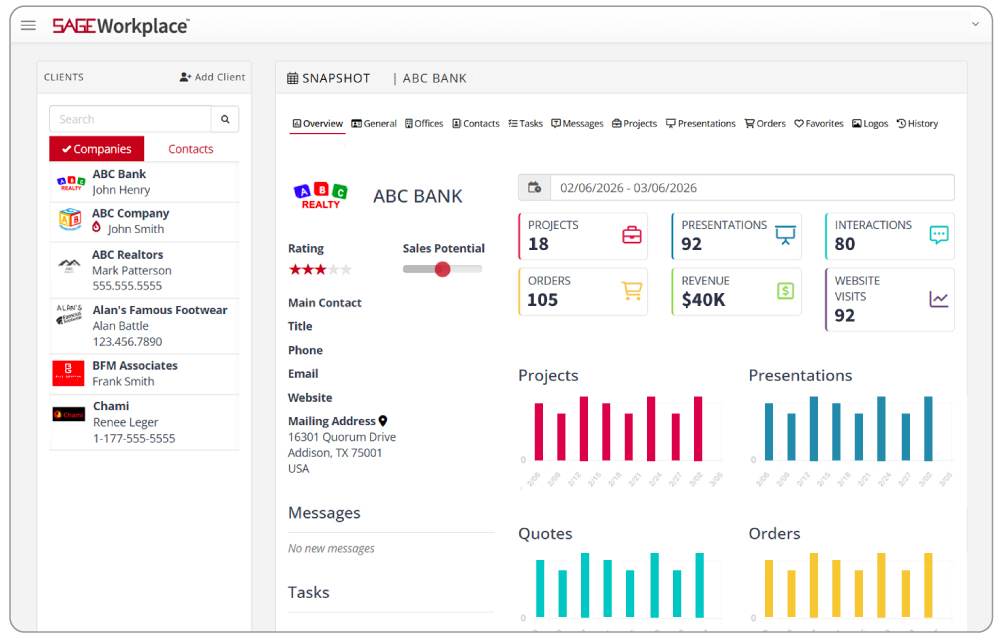
The CRM module in SAGE Workplace is your go-to spot for keeping all your client information organized. Contact details, order history, logos, notes from your last call, and more. With everything in one place, you can help your clients with re-orders in just a few clicks, find a specific product from your last presentation, and easily add their stored logos to product mockups.
Even better, the CRM connects seamlessly with the rest of SAGE Workplace to give you a detailed snapshot of each client’s interactions including website visits, orders, presentations, projects and more.
Generate Ideas with The Idea Wizard
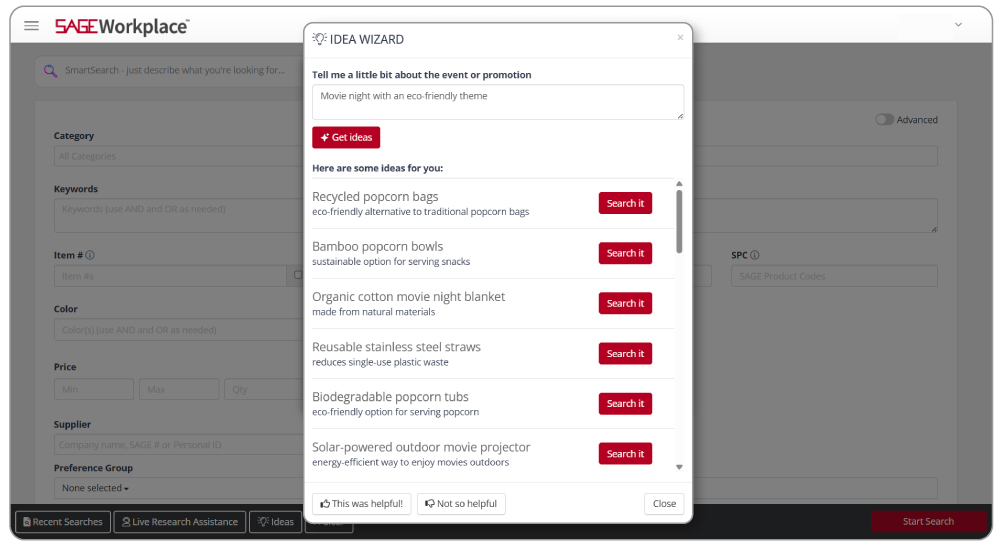
If you’ve ever had a client that doesn’t know what they want yet and they need you to send them some ideas, then the Idea Wizard is for you! Let’s say your customer is having a golf fundraiser for an animal shelter. You could spend time brainstorming product ideas with your team and then doing 10 different searches to find all the products they might need. Or, with a few prompts in the Idea Wizard, powered by SAGE AI, you can let SAGE do the rest of the work for you.
If you want more information on the Idea Wizard, check out this video.
Send Your Clients a Presentation Link
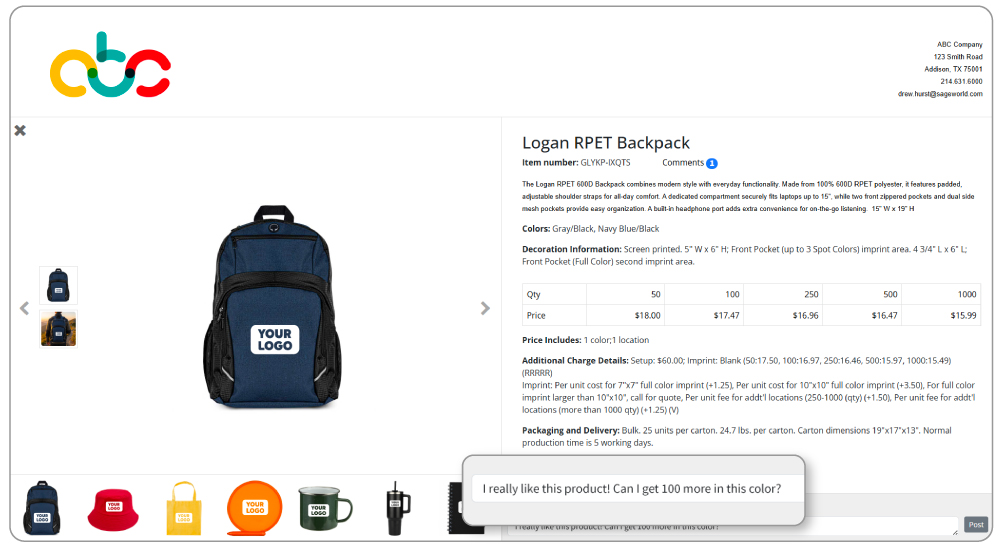
Once you’ve added your favorite products to a presentation, just click Share in the left navigation to send your client a link to their web-based presentation. They can open it anytime, from anywhere, super convenient!
You’ll even get an alert when they view it, so you know exactly when to follow up. Each product includes a comment section where they can leave feedback, and you can reply right there in the presentation, no more endless back-and-forth emails.
Clients can also “like” their favorite items with the thumbs-up icon, and there’s even a Buy Now button that links directly to the product page on your SAGE Website, making it easy for them to place an order right away.
If you want more information on the client web presentations, check out this video.
Live Product Search Assistance
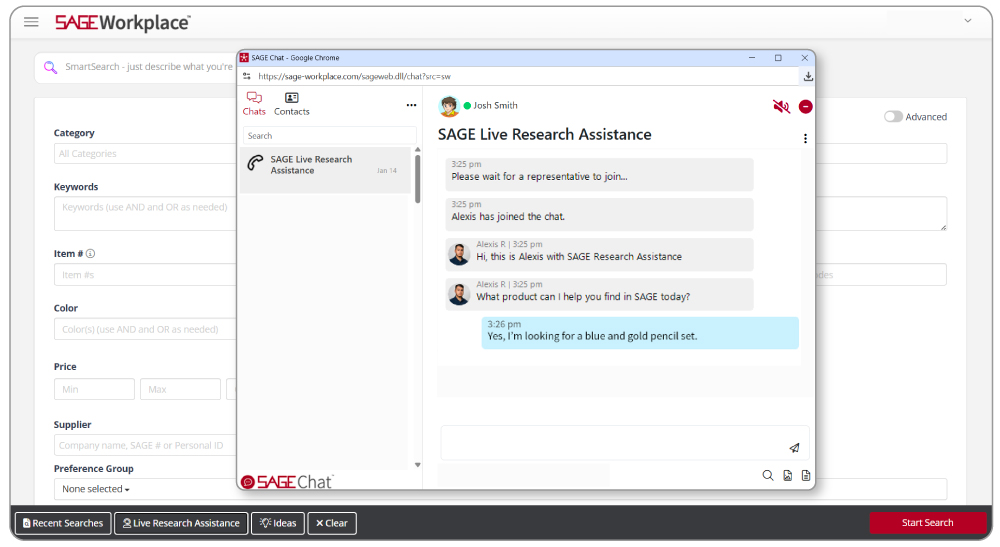
Let’s be real. Every now and then, you get a client that wants a very specific, very unique product. Or they may want an exact pen and will not settle for anything less. We hear you. Sometimes, in a sea of hundreds of millions of products it is difficult to find that one that will make your client jump for joy. That is where SAGE Live Research Assistance can help! This is not a bot, but REAL PEOPLE, here at the SAGE HQ, ready to help find the most difficult of products.
To use our Live Research Assistance, go to the Product Search page and on the top right (in Windows) or the bottom left (in Web App) click Live Research Assistance to connect instantly via chat with our team on standby.
If you want to learn more tips, visit our SAGE Resource page for cheat sheets, upcoming live sessions, and more!
0 Comments