


We’ve been busy this quarter! From smarter product searches and easier presentation management to more website customization and CRM enhancements, Q3 brought new features across SAGE products designed to help you save time and simplify your workflow.
Here’s a quick look at what’s new.

Give your website more flexibility while making it easier for customers to browse and shop.
Website Design & Customization
- Add buttons side by side in Page Builder
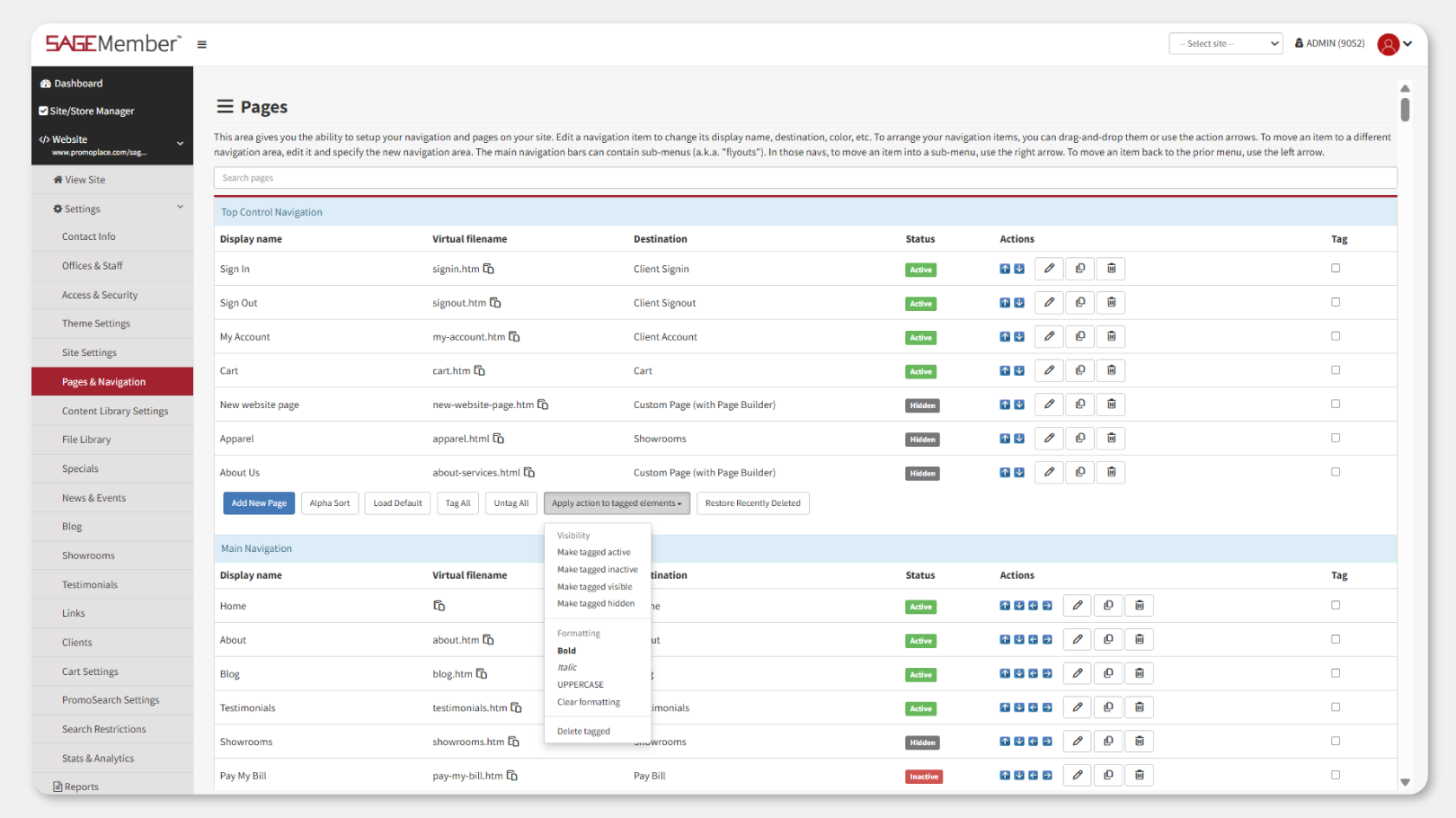
- Apply bold, italic, and uppercase styling to navigation elements via the new drop-down “Apply action to tagged elements”
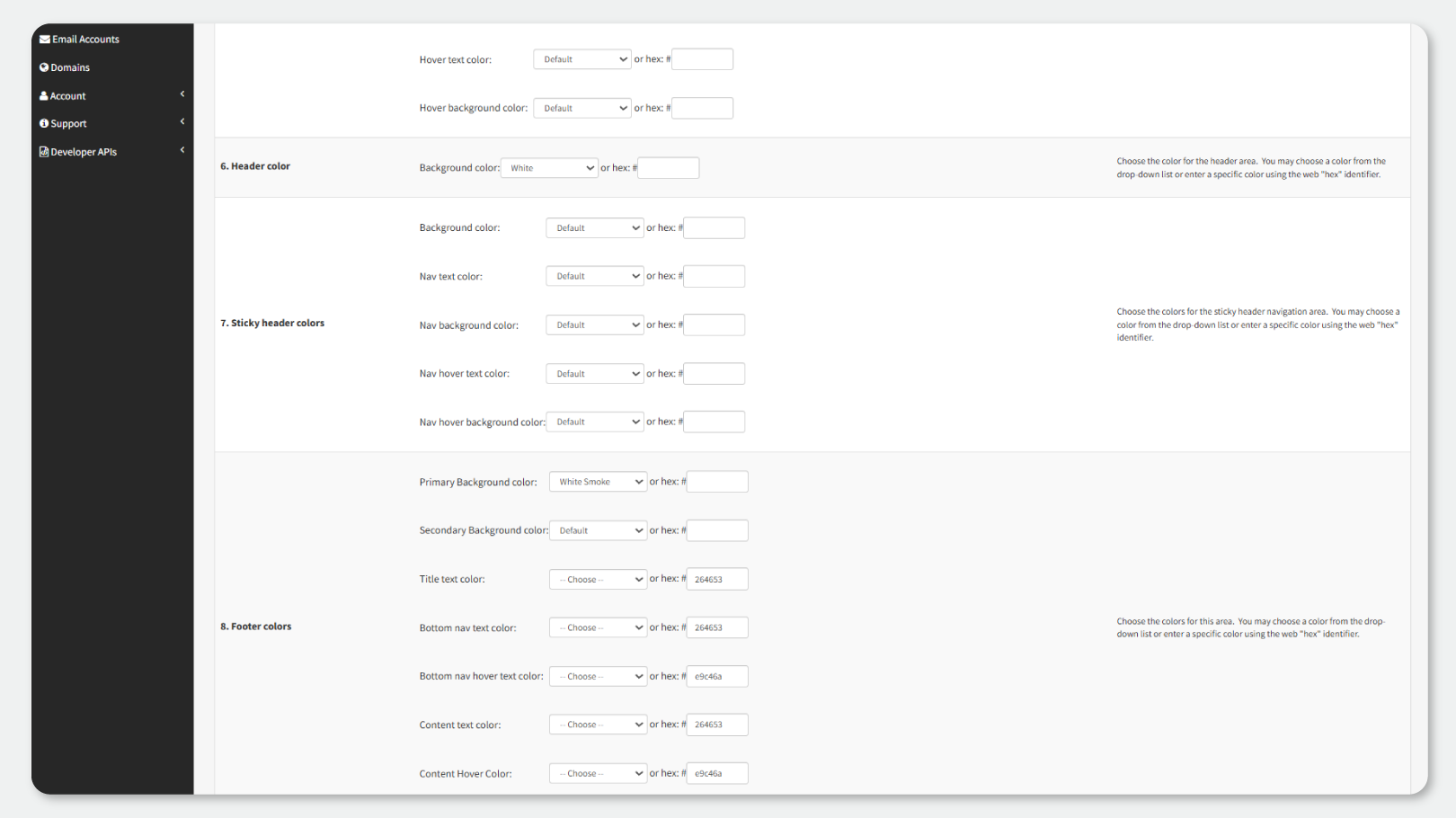
- Customize your secondary footer background color, giving you the ability to customize your website even more.
- Resize footer logos separately for desktop and mobile. Previously, it pulled the header logo size.
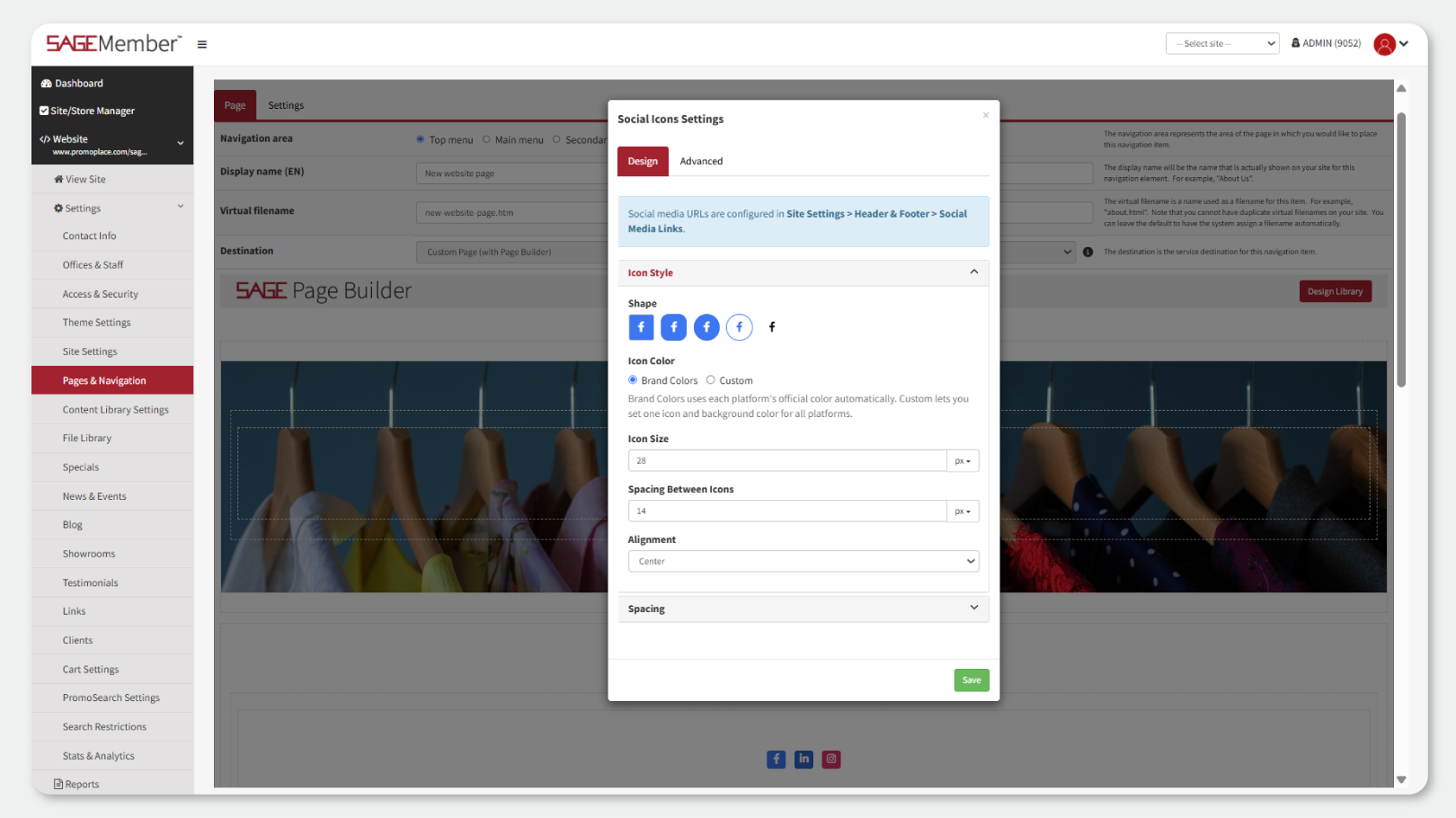
- Add a Social Media Bar anywhere on a page and customize the icons, colors, size, and spacing using the new Page Builder widget.
Page Headers
- Manage page headers globally instead of updating each page individually. This includes customizing header font size, colors, alignment, padding, etc. Plus, add rich-text subtitles below page headers
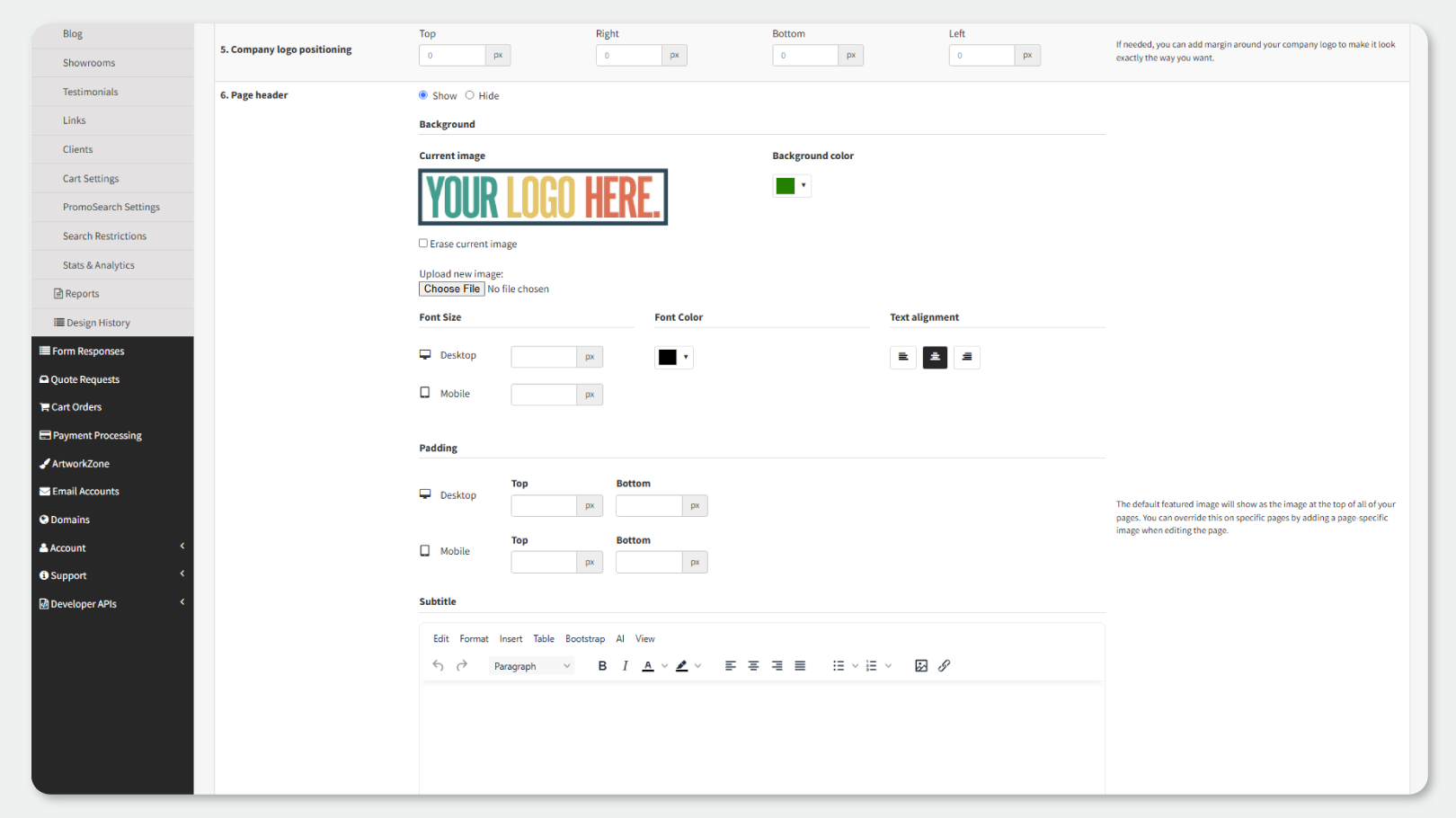
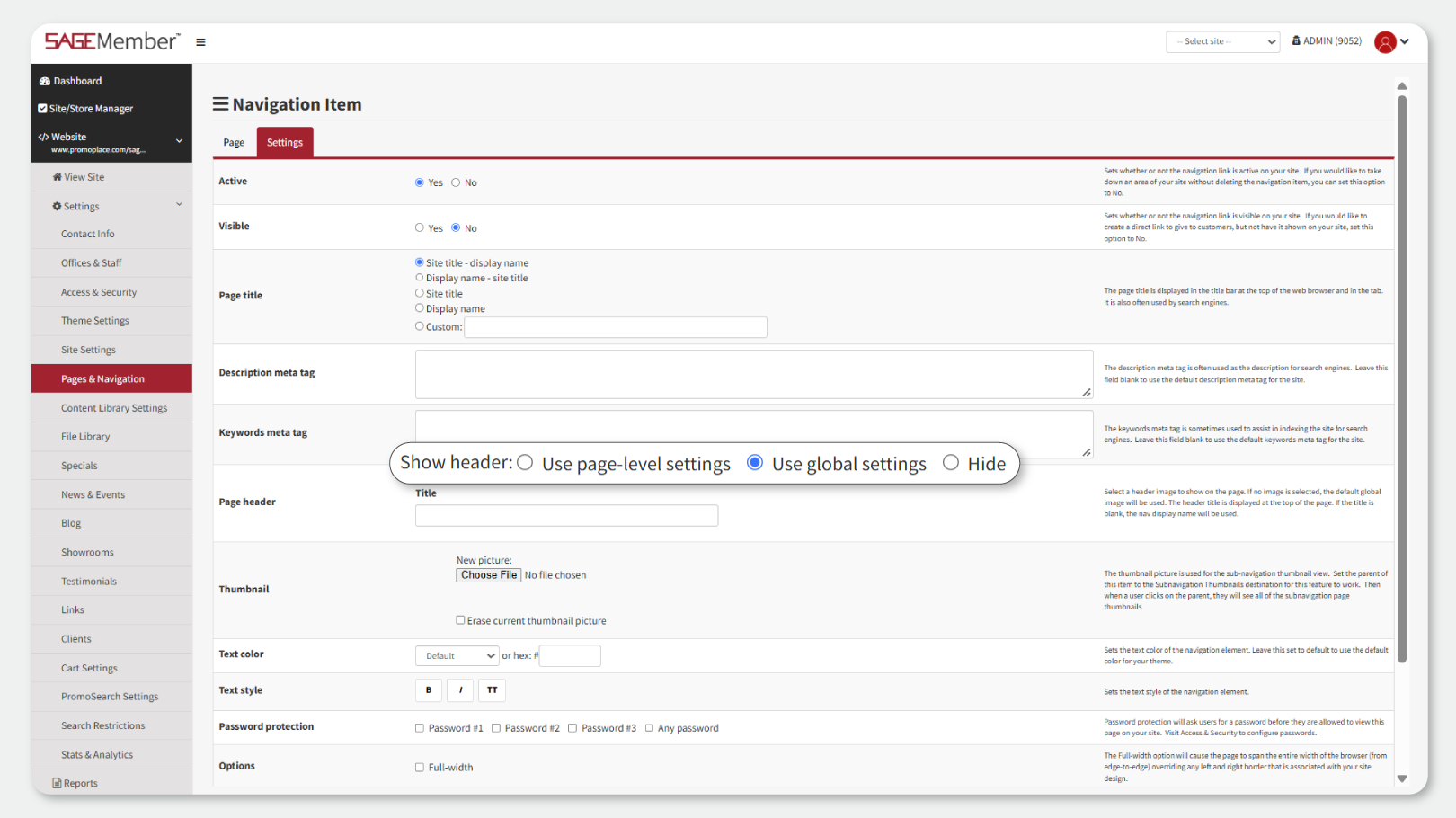
- Choose whether individual pages use global settings, page-specific settings, or no header
Showroom & Inventory
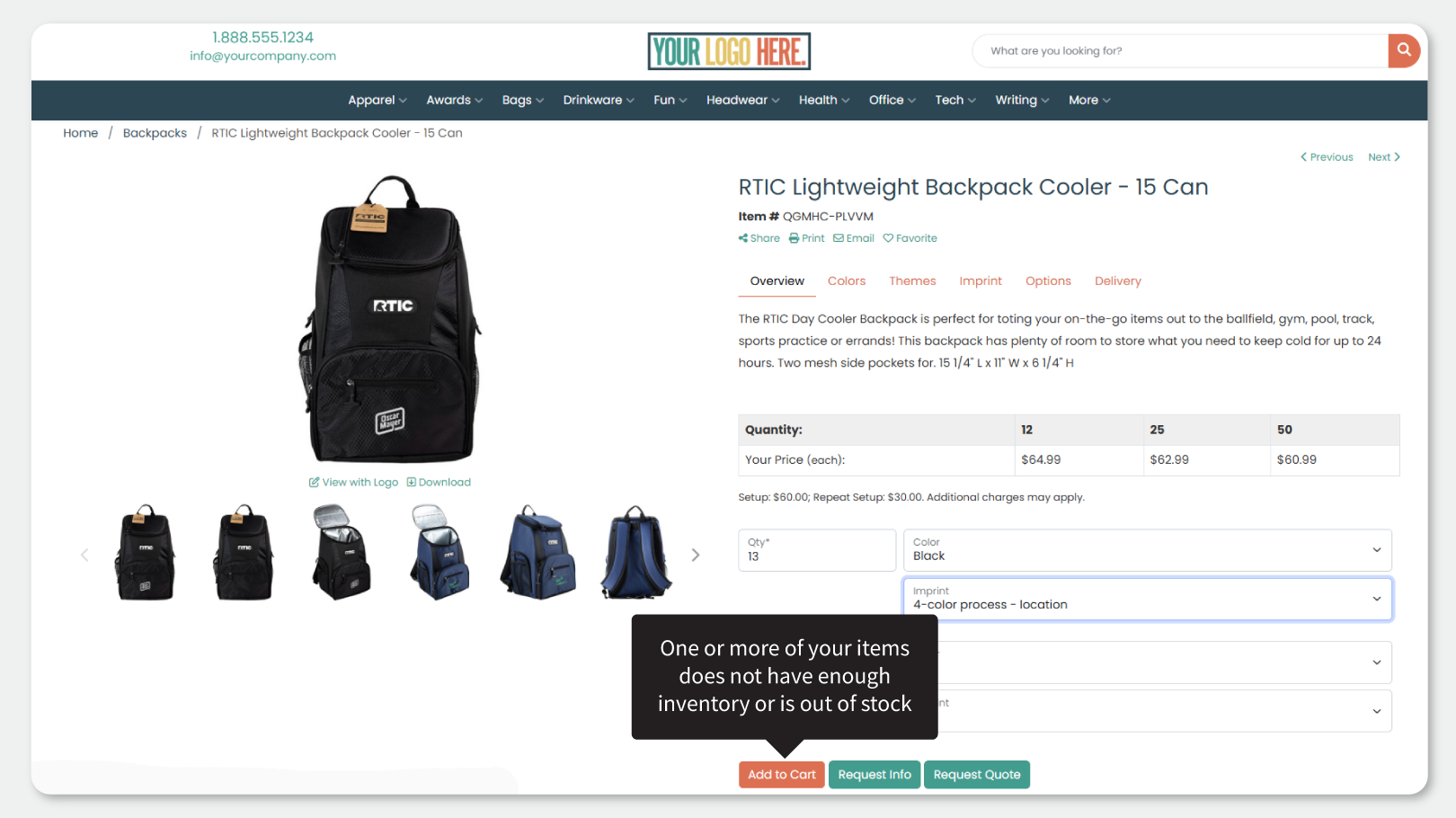
- Alert customers when they request more inventory than is available. For example, if there are 10 pants in stock, but a customer tries to order 11, an orange badge will appear, and the customer will not be able to add 11 to the cart.
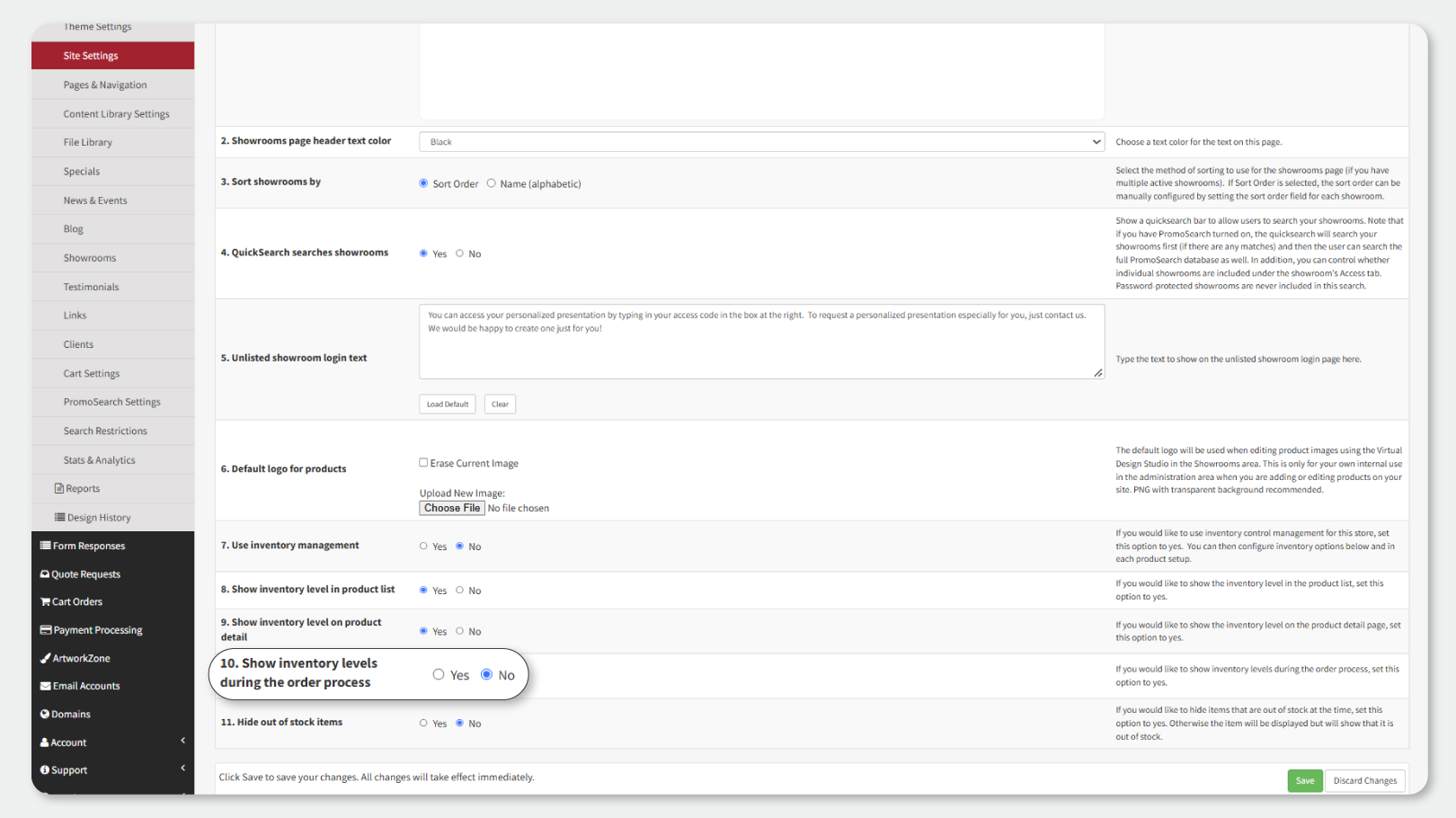
- Choose whether actual inventory quantities are displayed during ordering (note: it will still notify customers if the product is out of stock)
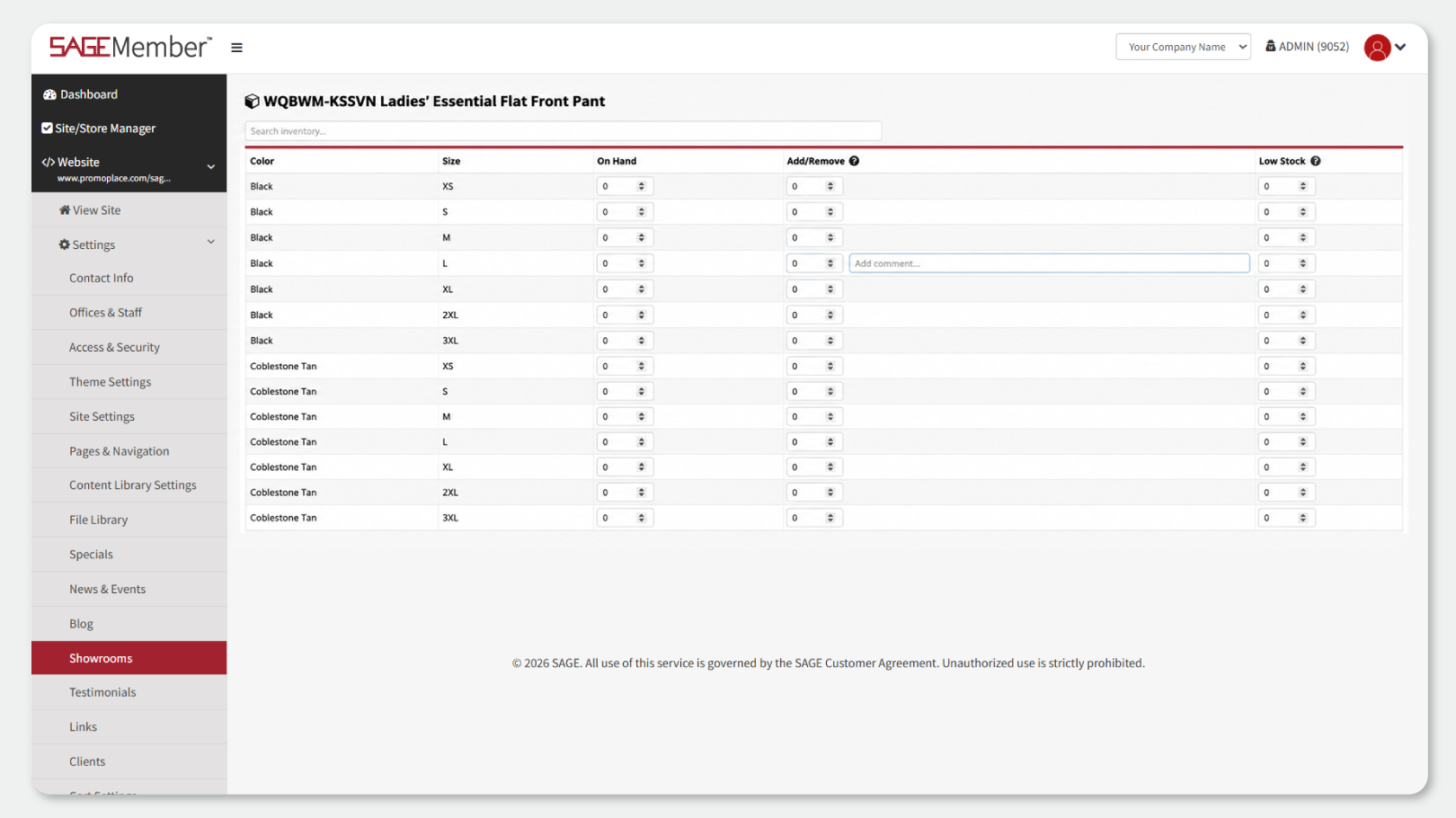
- Add comments when manually adjusting showroom inventory. Once you add a number to the Add/Remove field, a comment field will appear. The comment can be seen in the Inventory History.
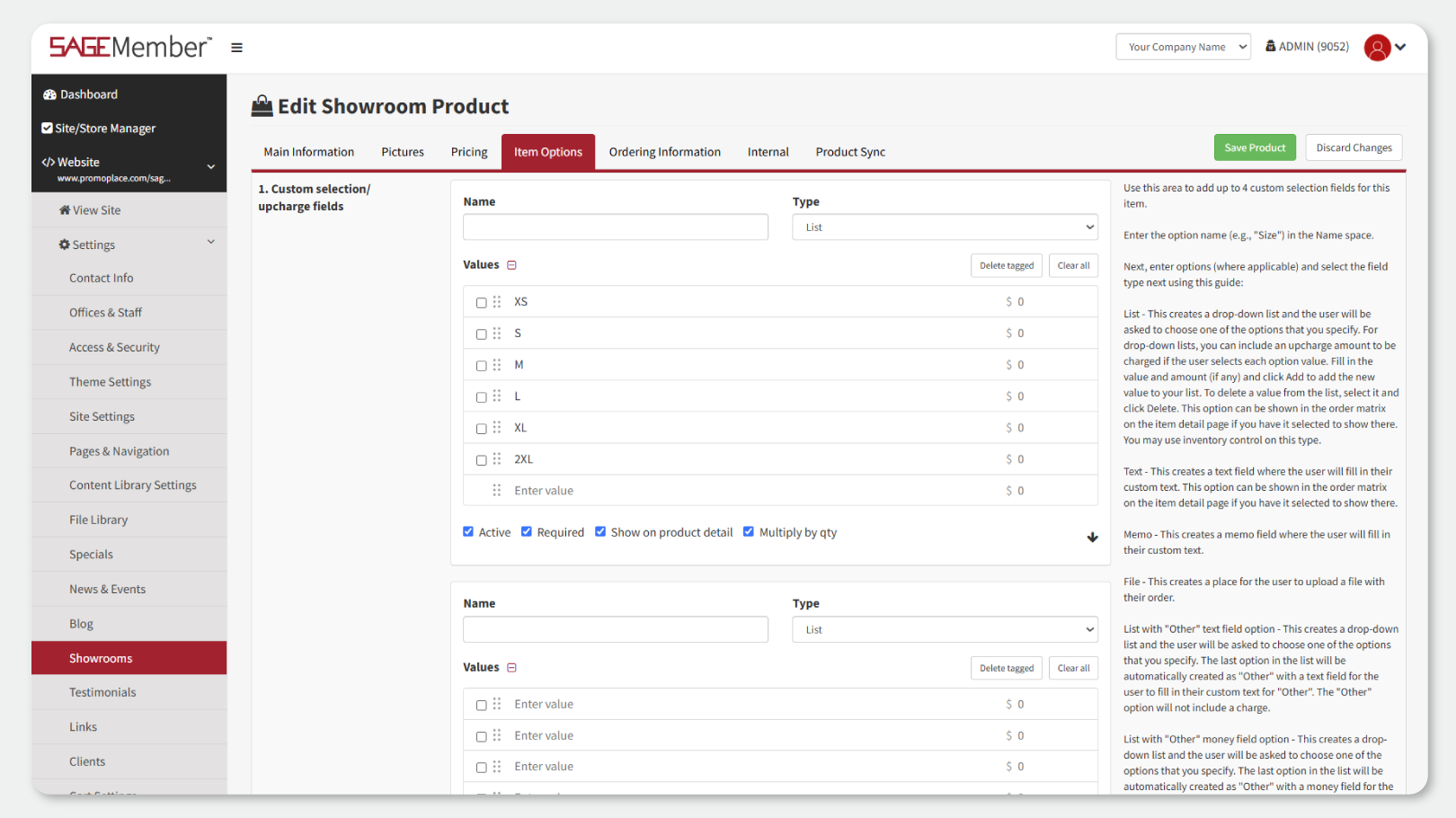
- An updated look for custom showroom item charges. It is now a multi-value entry field.
- Drag and drop custom product options into your preferred order
- Select multiple custom options to remove or clear them all at once
- View all showroom items in the Sales by Product report, even if they haven’t sold yet
Navigation & Blogs
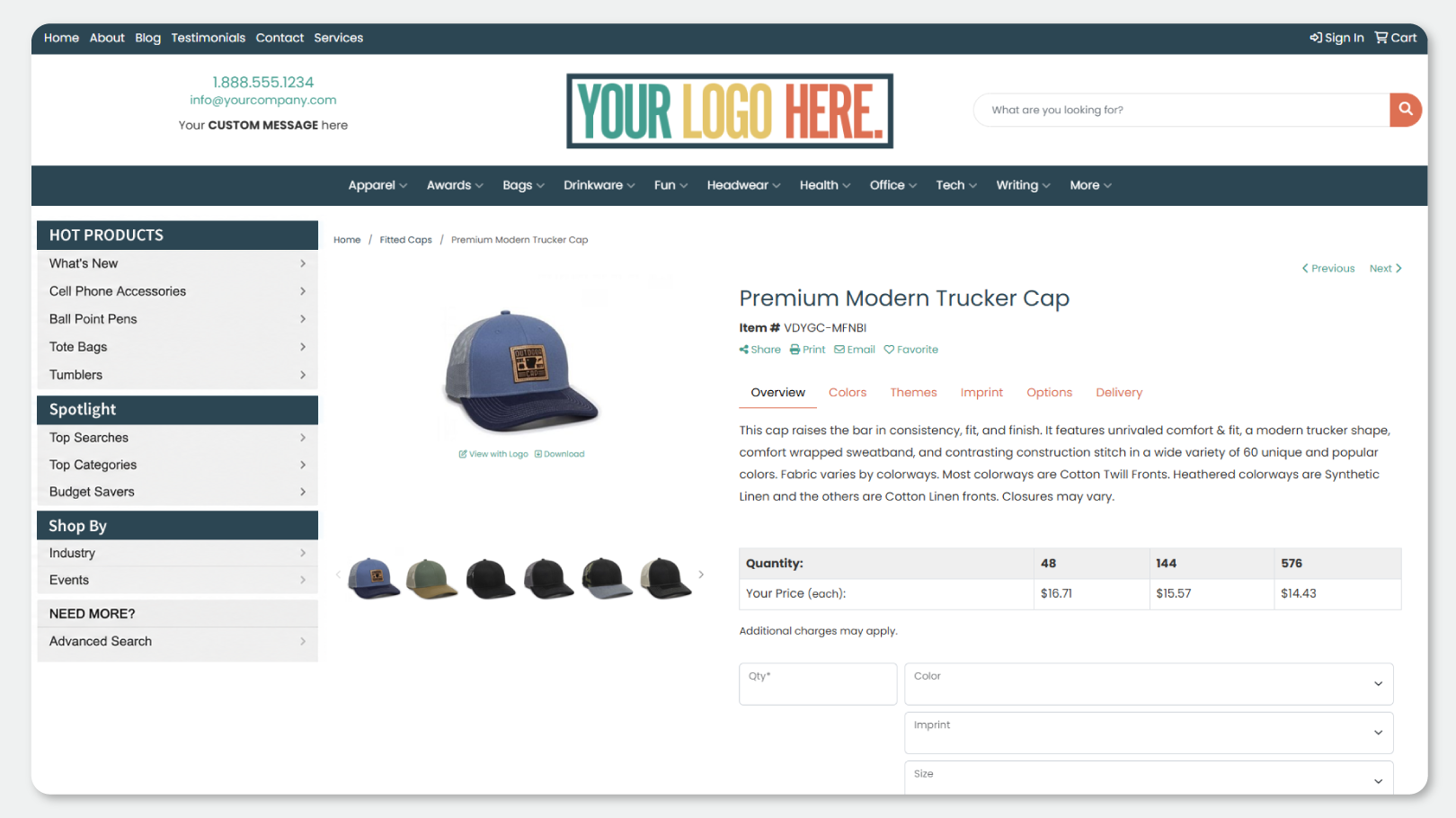
- Add breadcrumbs to showroom pages for easier navigation. This makes your website more user-friendly, as the customer can click to go back to a certain page more easily.
- Pin important blog posts to the top of your Blogs page. Set an expiration date to automatically unpin a blog post on a specific date.
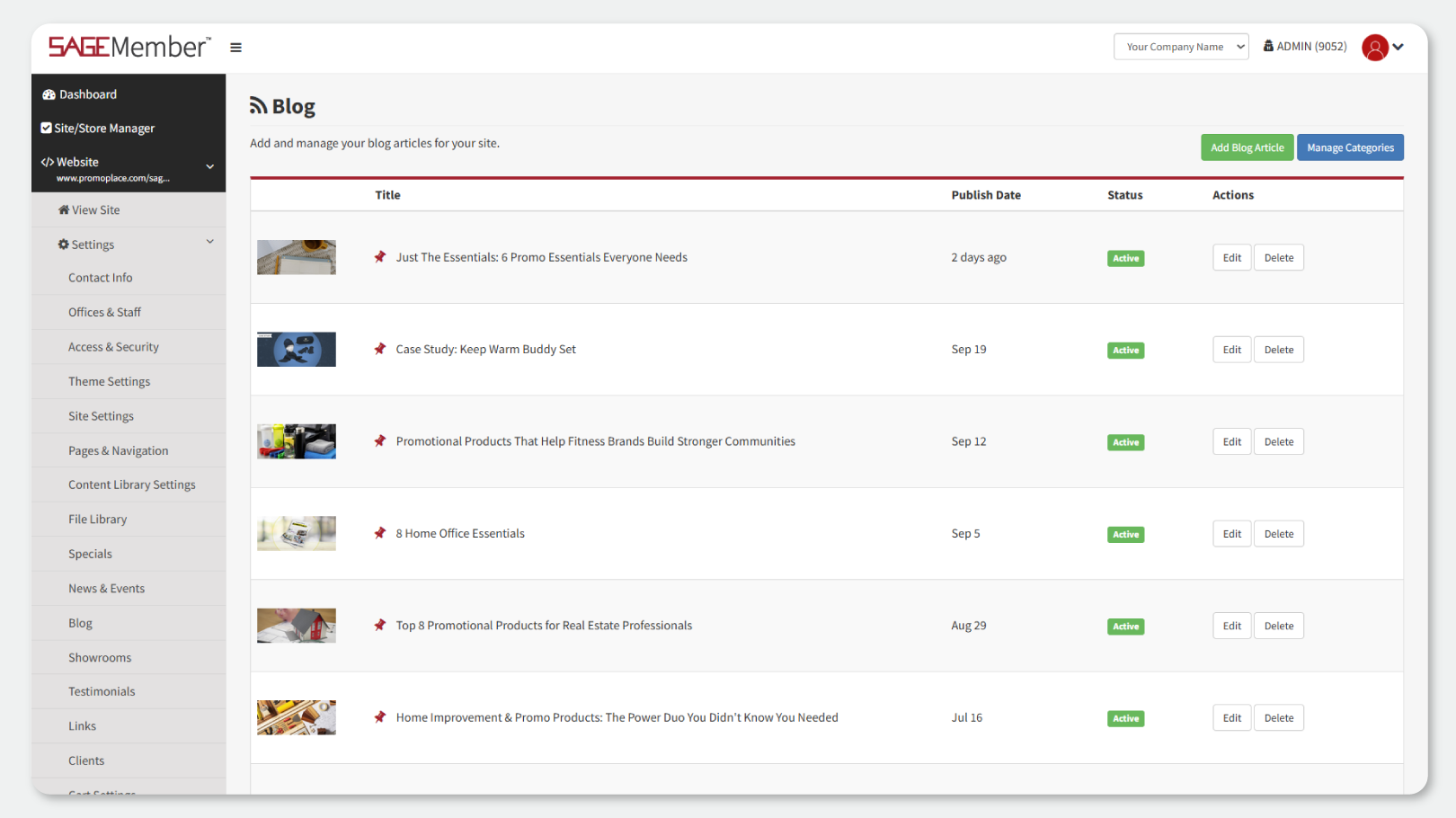
- Blogs are now sorted by publication date
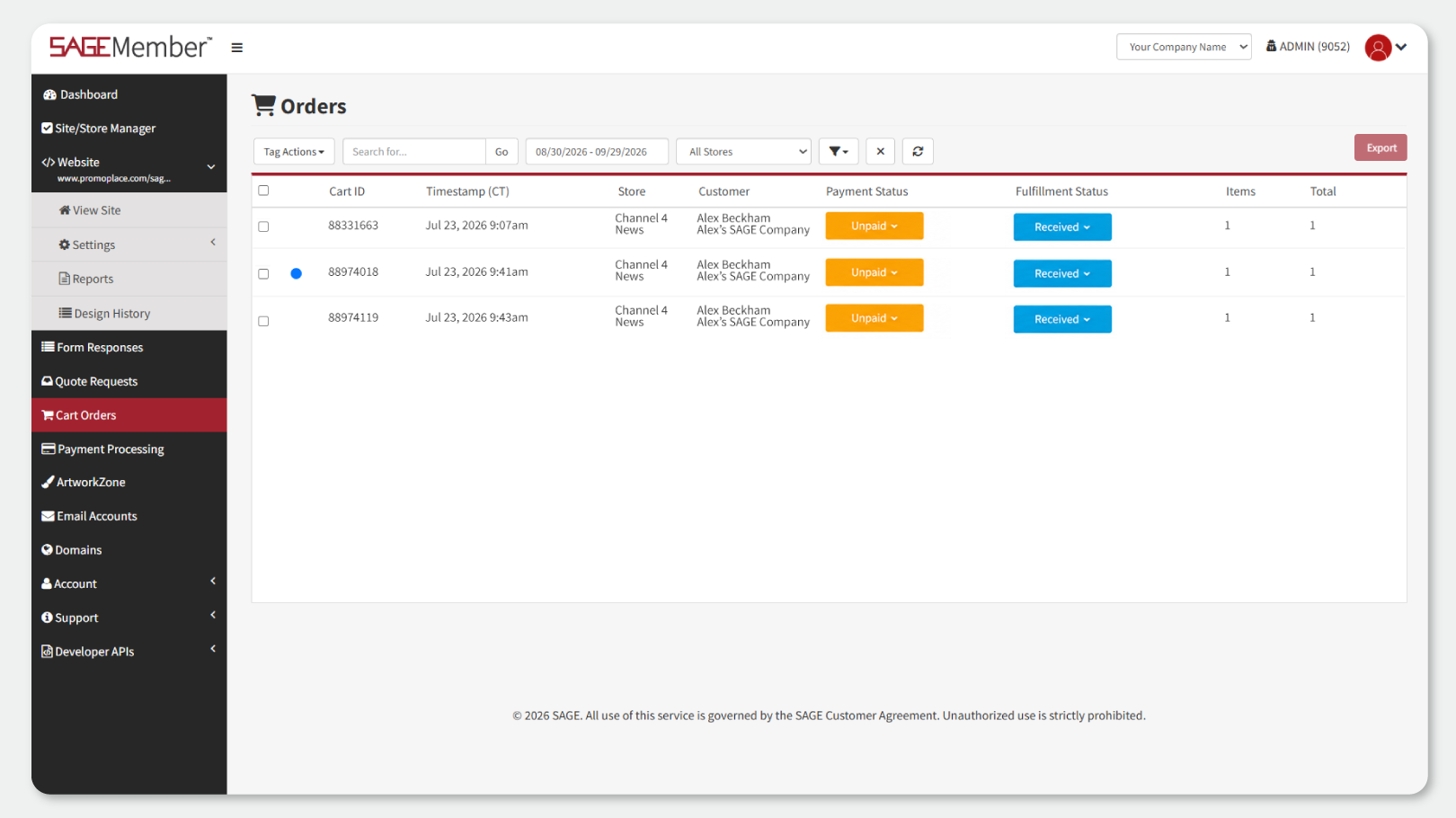
- Refresh your cart search without losing selected filters

User Access
Administrators have even more control over what individual users can access and do.
- Control access to Orders, Clients, and Email Campaigns
- Determine who can view net pricing and profit information
- Control who can add clients
- Control who can send orders to suppliers
Specials
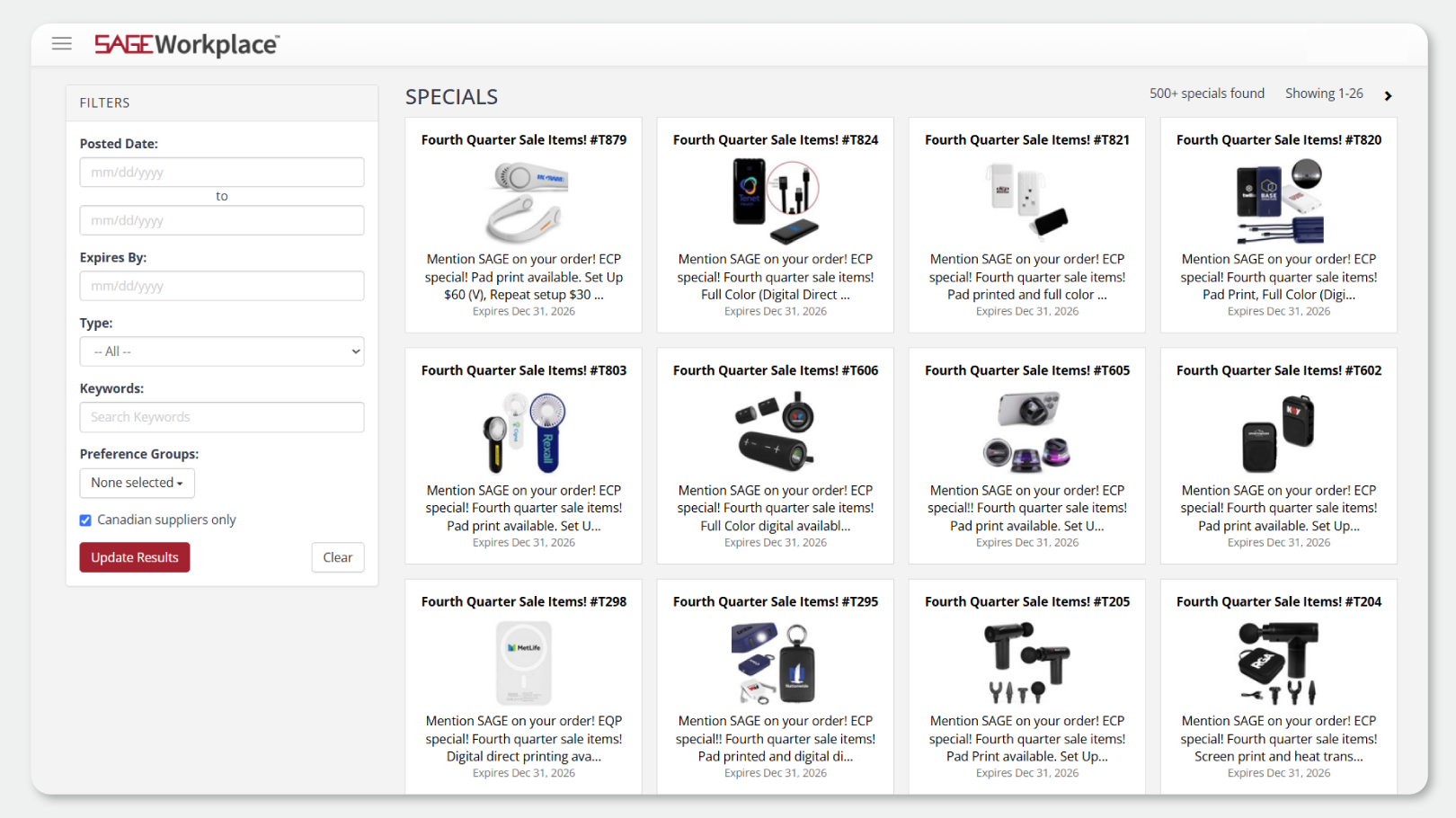
- Search Specials using preference groups
- Filter Specials for Canadian-only options
Presentations
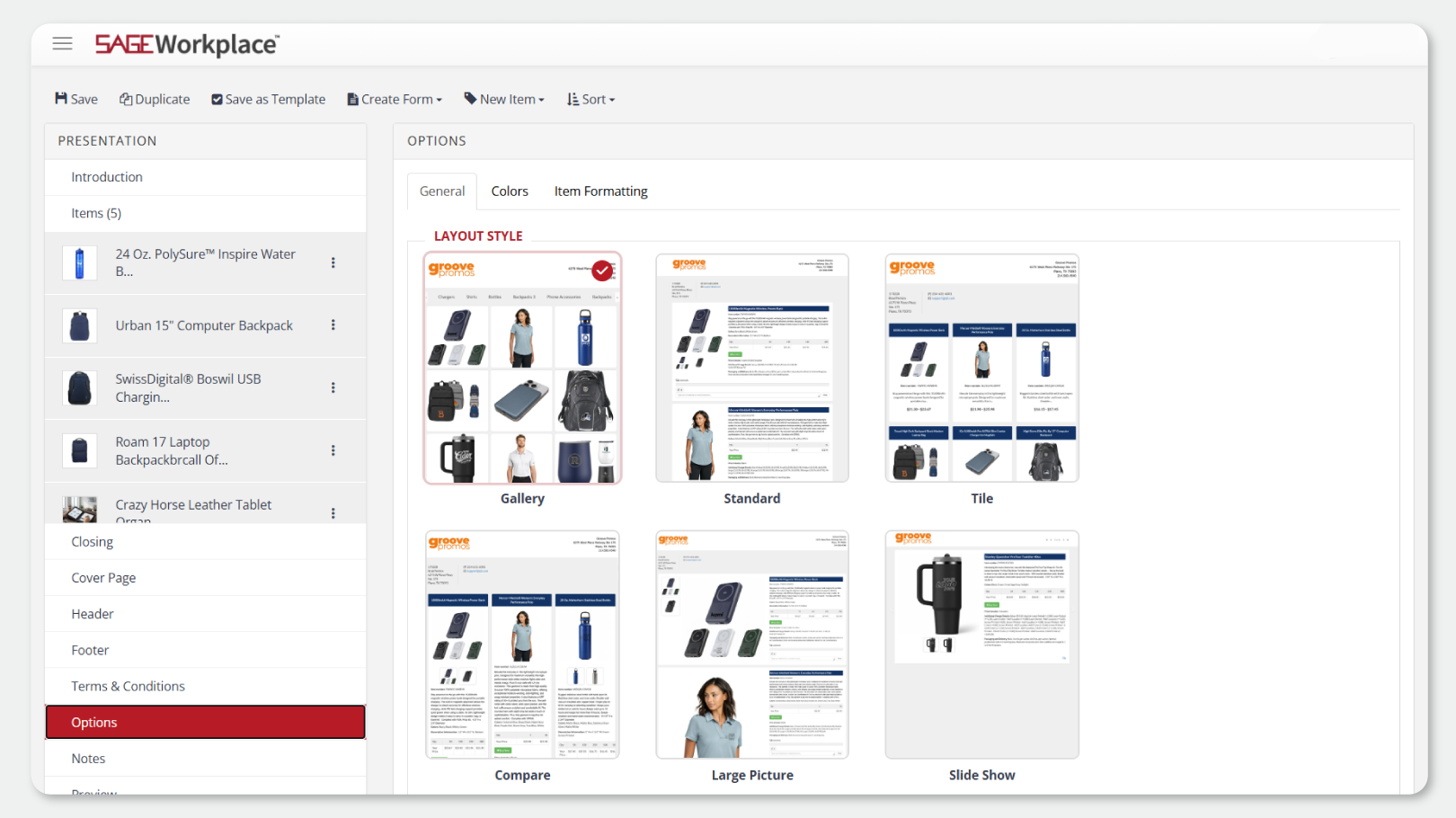
- See image previews of presentation layouts before selecting one
CRM
Stay organized and keep important client information at your fingertips.
- See the total number of clients and contacts in your client list
- Sort tasks by Owner, Due Date, Subject, Notes, or Priority
- Upload client logos with drag-and-drop functionality
- Drag and drop photos for individual contacts
- Assign a specific client contact to a task
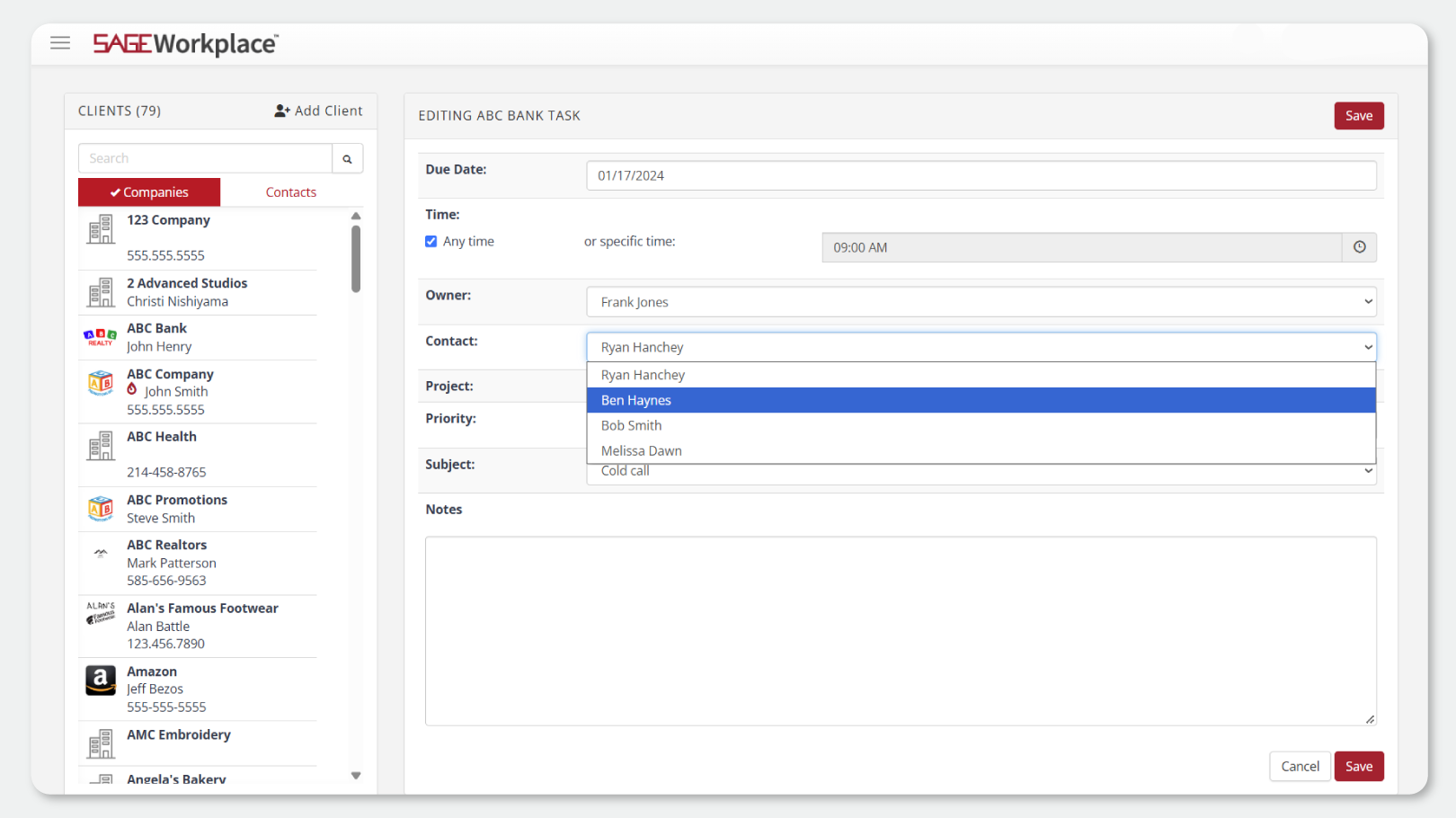
- See contact names in client and snapshot task lists
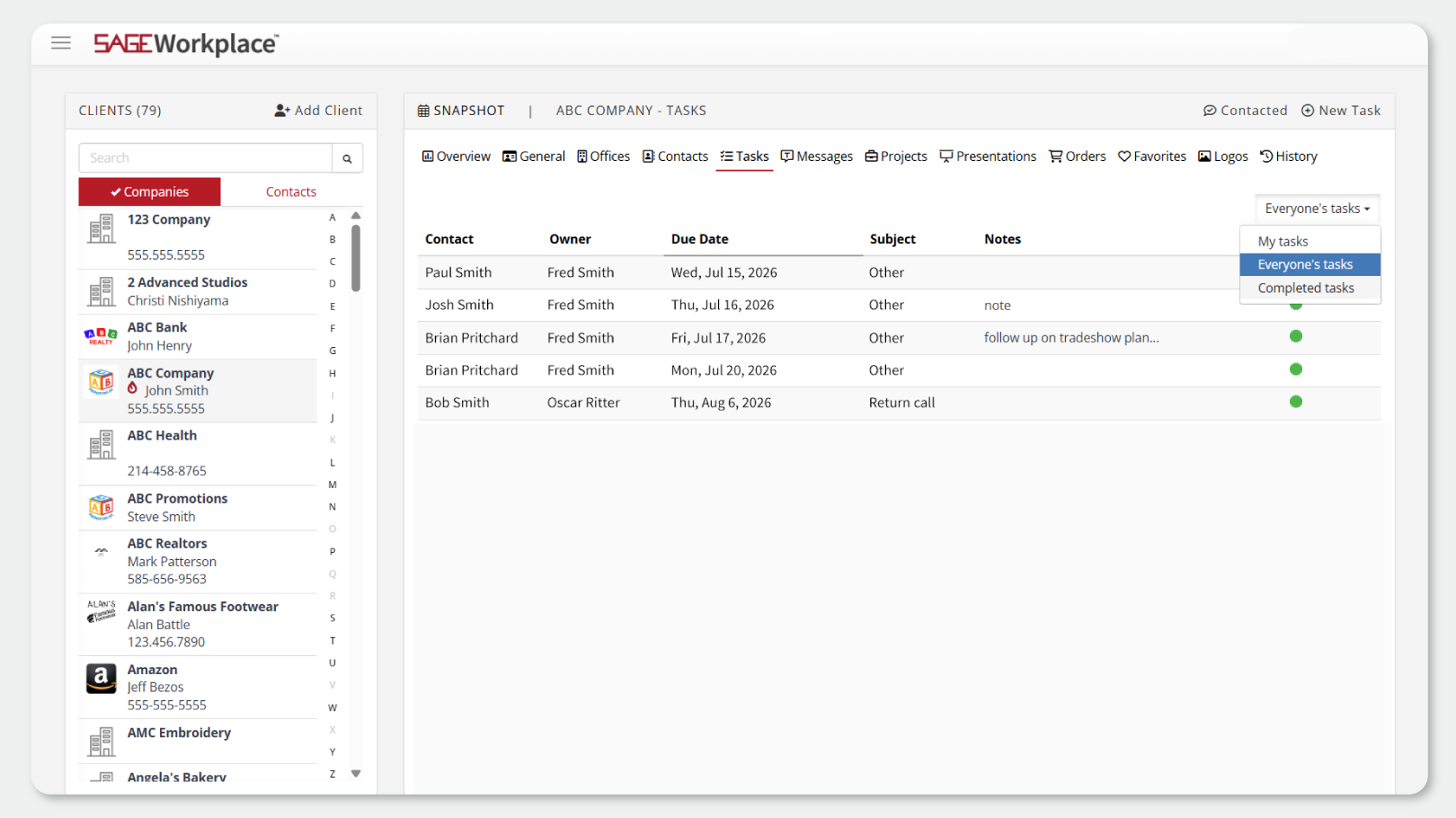
- View completed tasks for a client
Order Management
- Tag all orders with one click of the Tag column header
Email Campaigns
- Choose from 16 new email campaign templates

There’s even more you can do while you’re on the go.
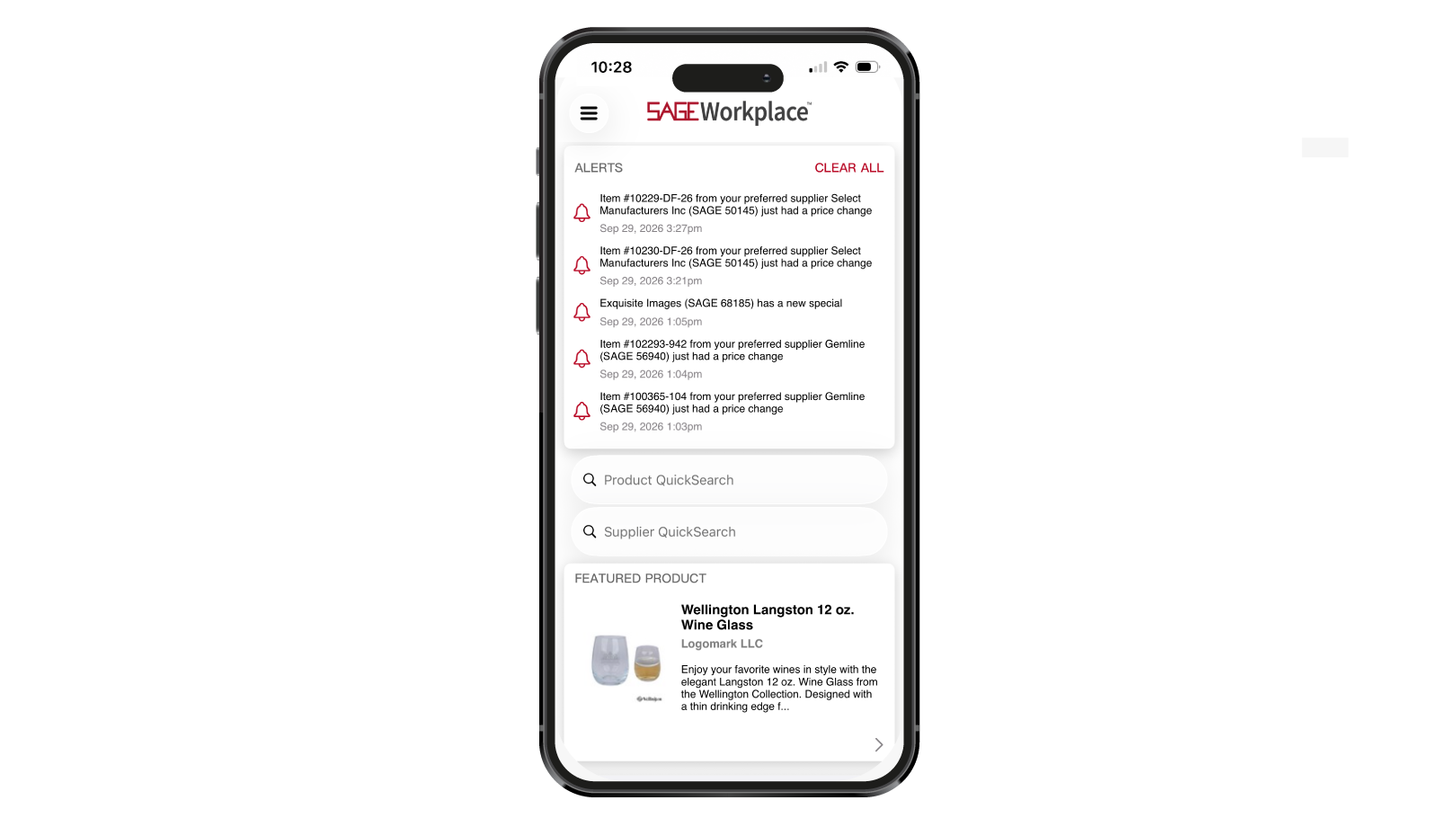
Alerts
- Tap Product, Supplier, Special, and Project alerts directly from the homepage to quickly access more information
Product Research
- Use SmartSearch to find products
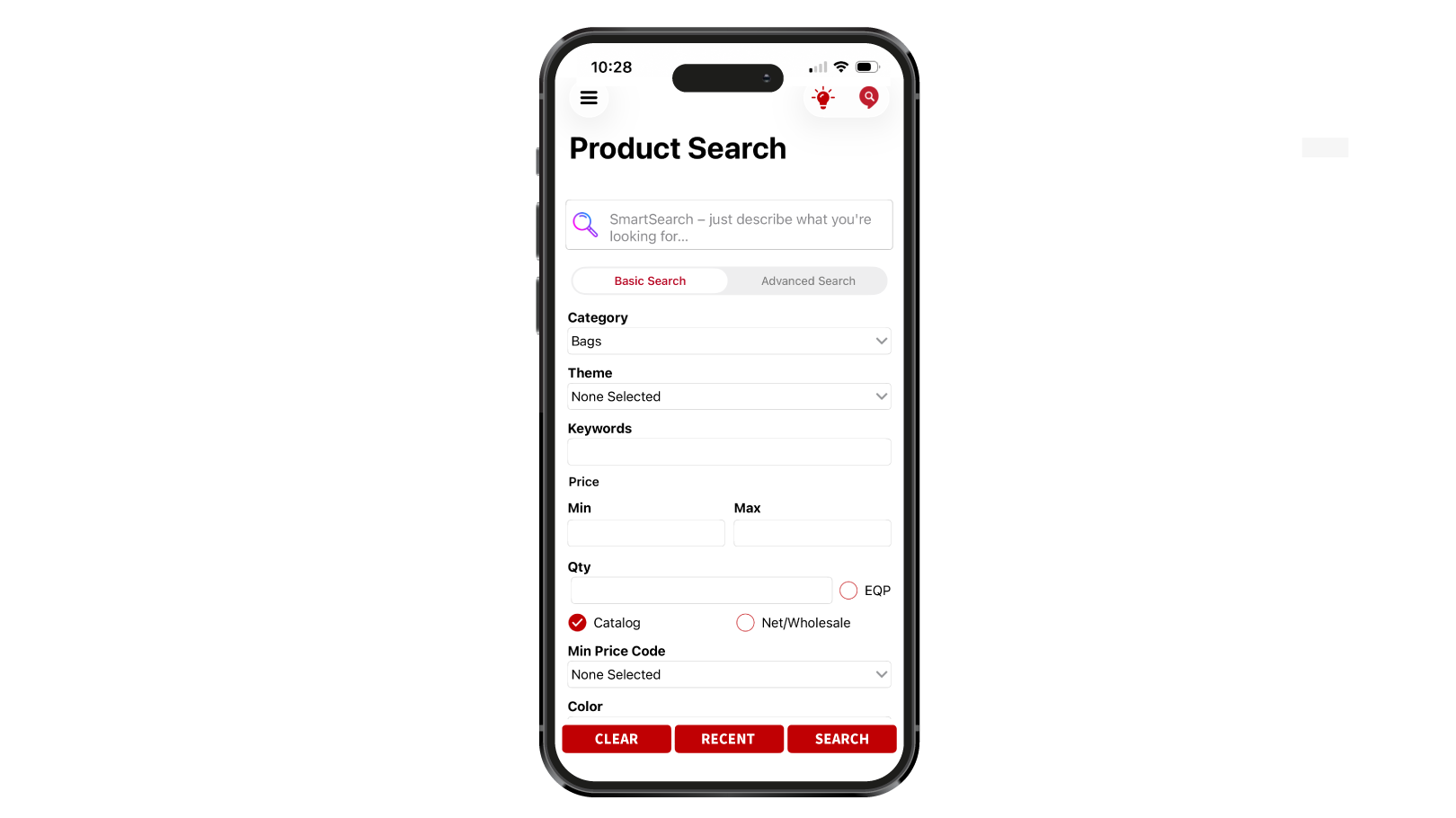
- Select multiple suppliers in a product search
- See indicators when notes are available under My Supplier Info or My Product Info
- View inventory directly from a product detail page
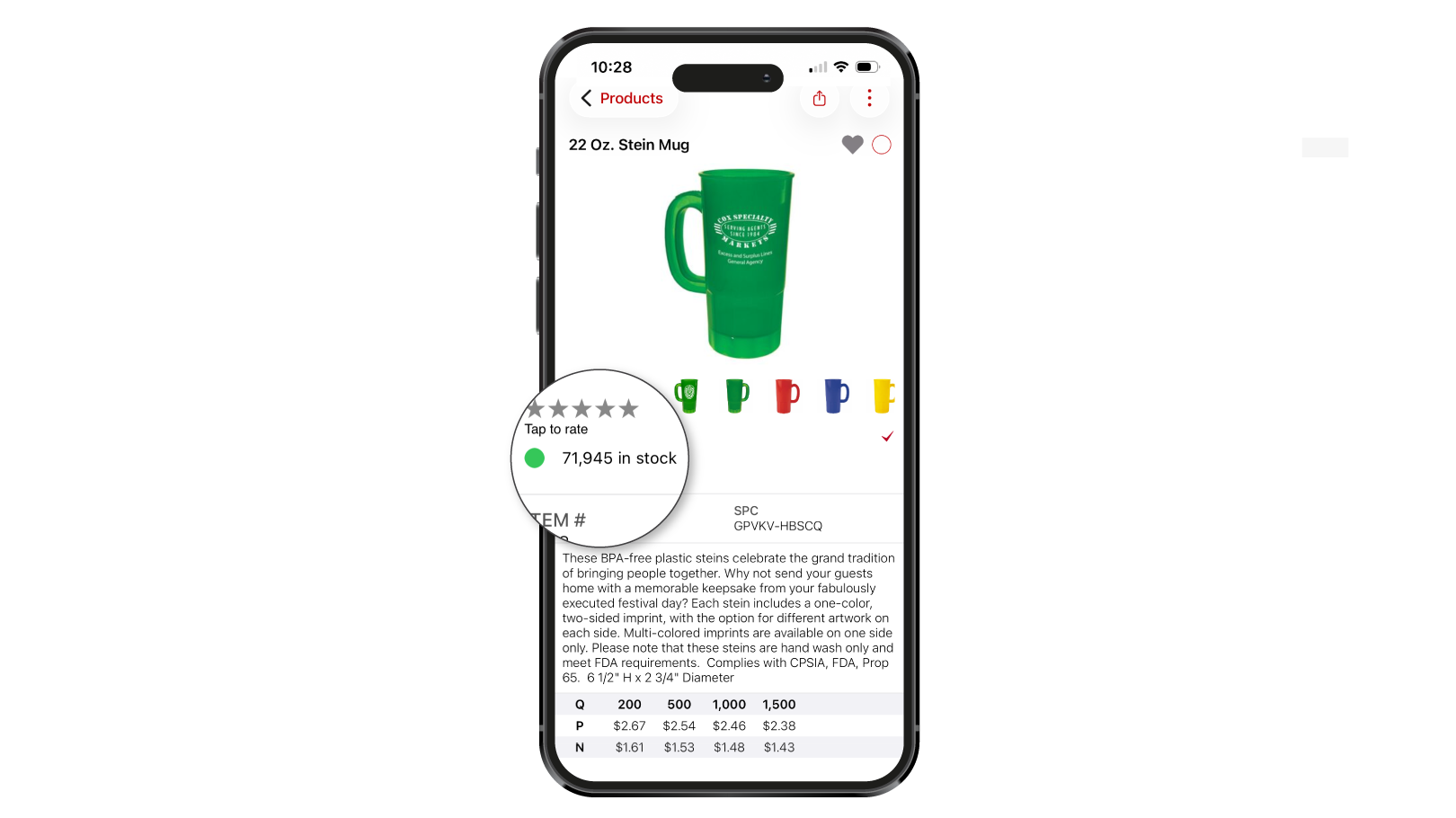
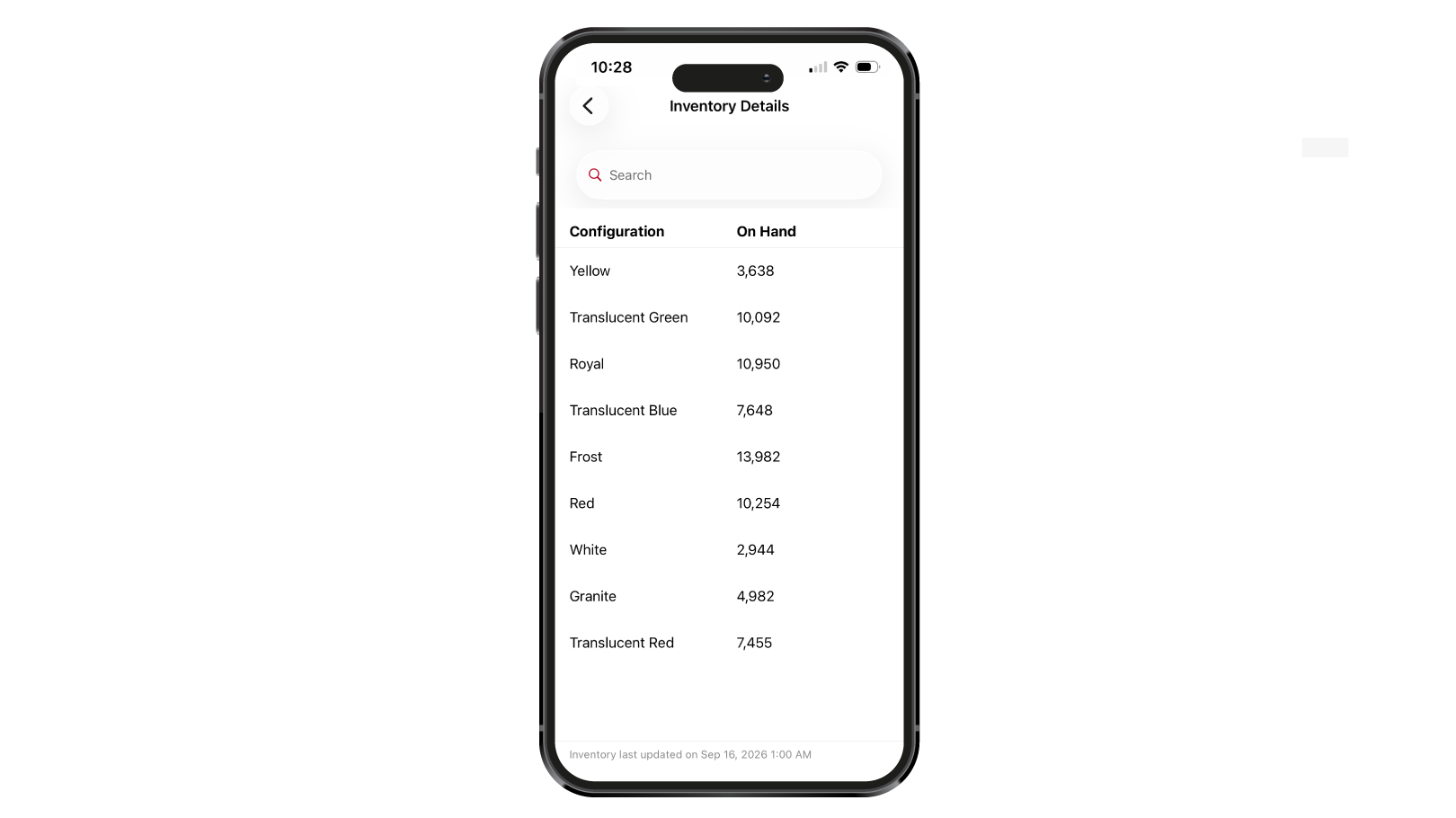
- See on-hand inventory broken down by product characteristics, such as color
- Search decorators using preference groups
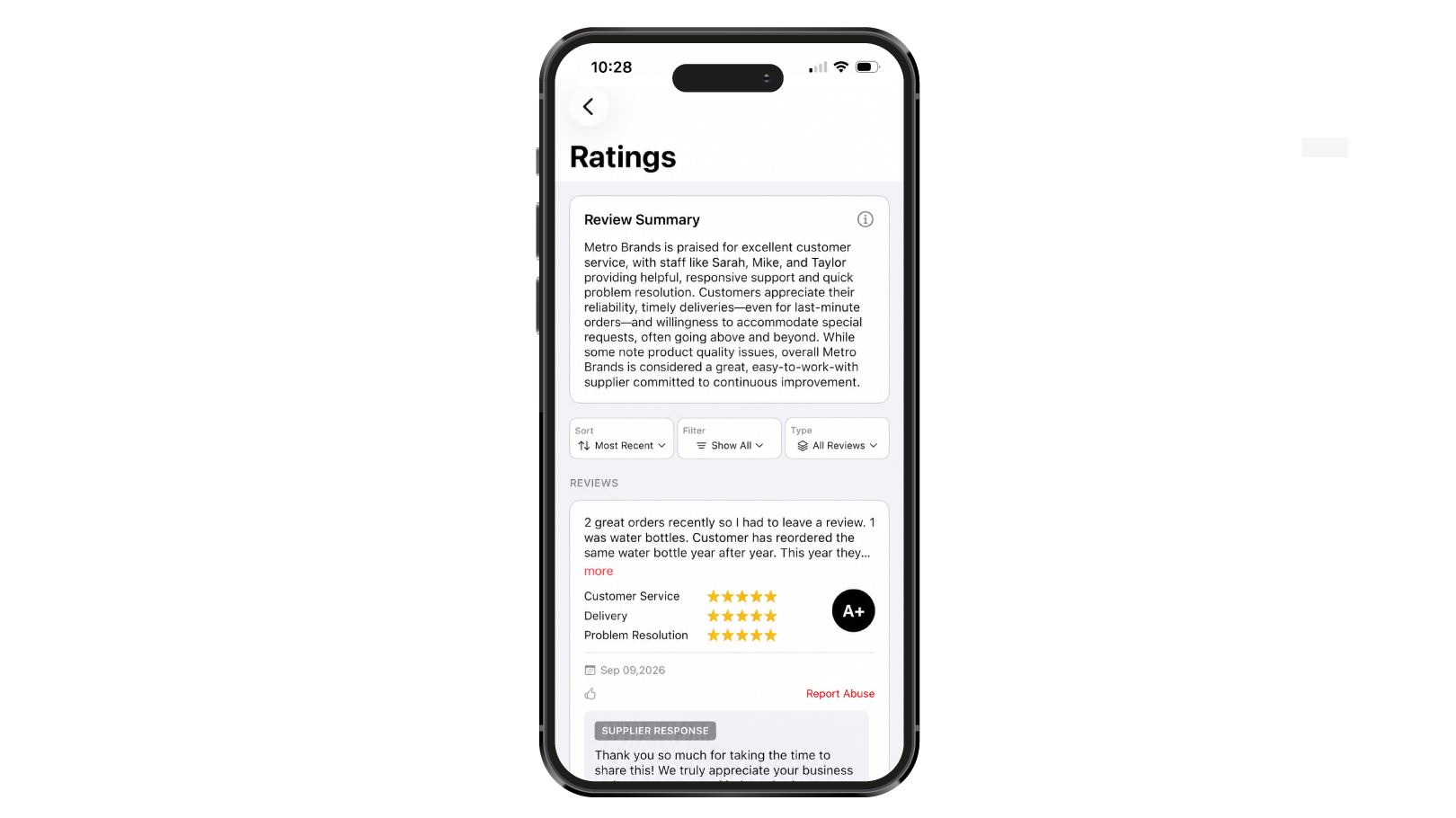
- View, sort, and filter detailed supplier ratings
Presentations
Creating and managing presentations from your phone just got easier.
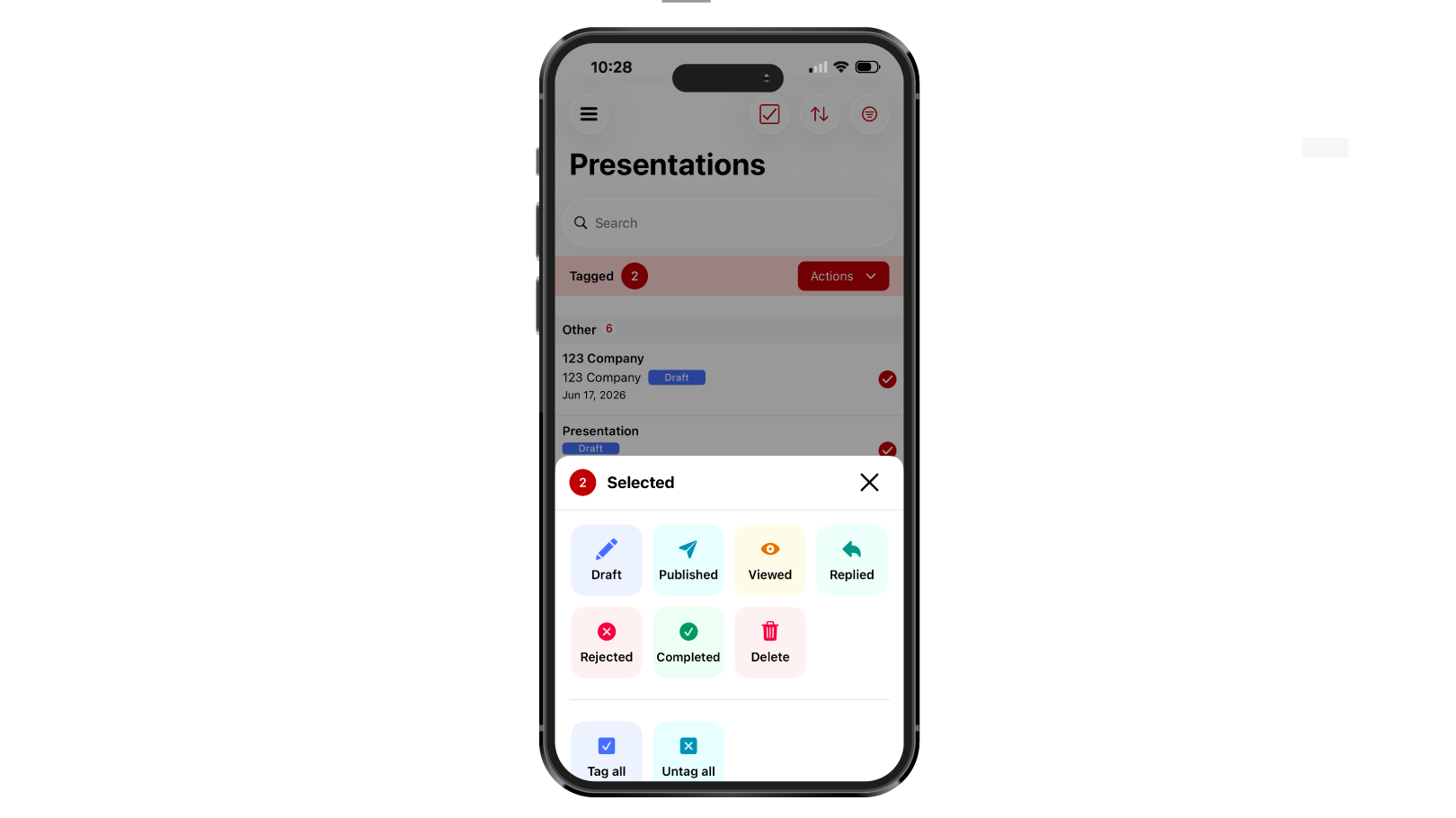
- Tag multiple presentations or products and take action on them at once
- Update the status of tagged presentations
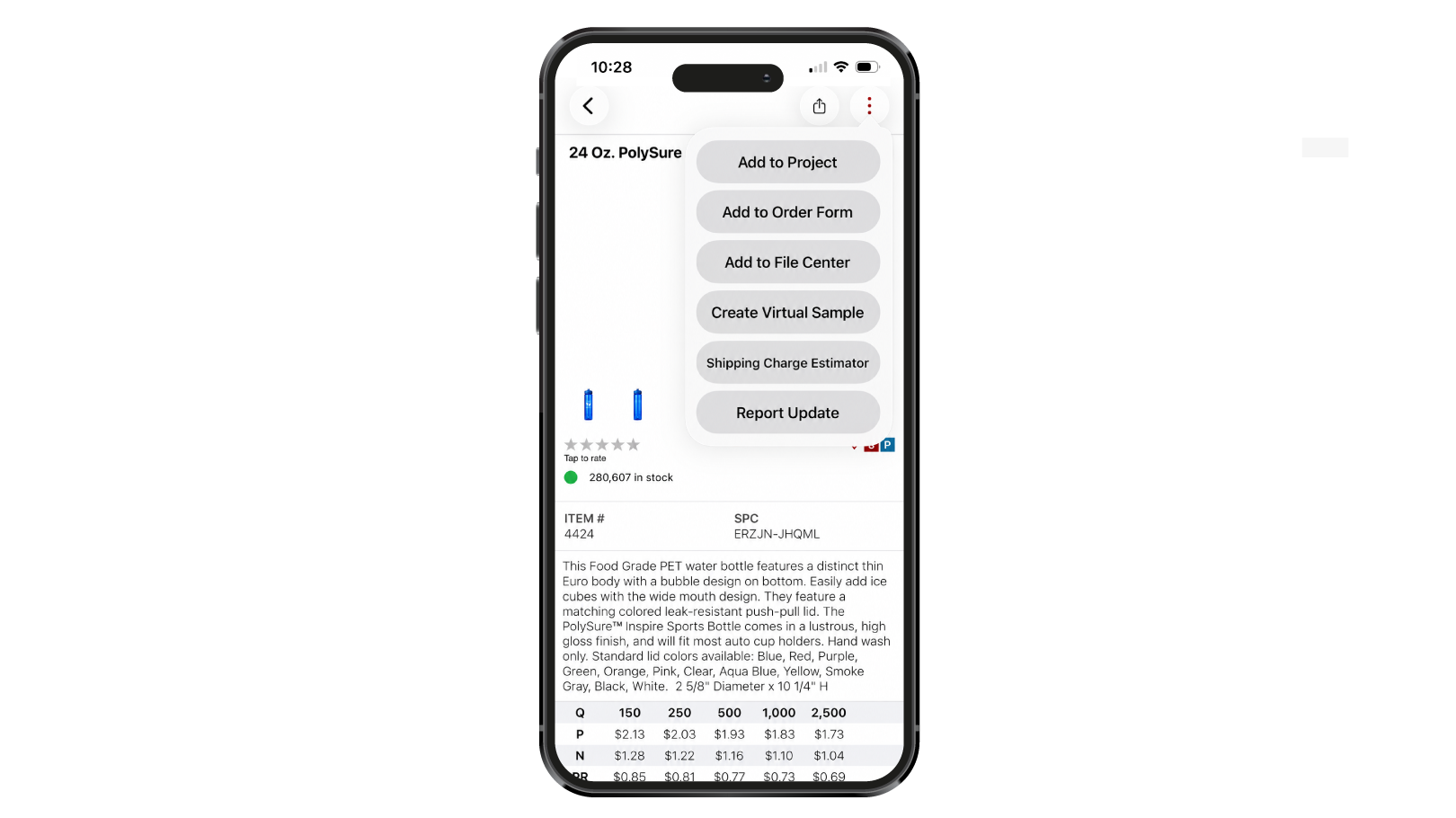
- Create Instant Virtual Samples
- Create Lifestyle Images
- Create virtual samples and lifestyle images directly from a product detail page
- Filter presentation products by category
- Use the Like icon to provide presentation feedback
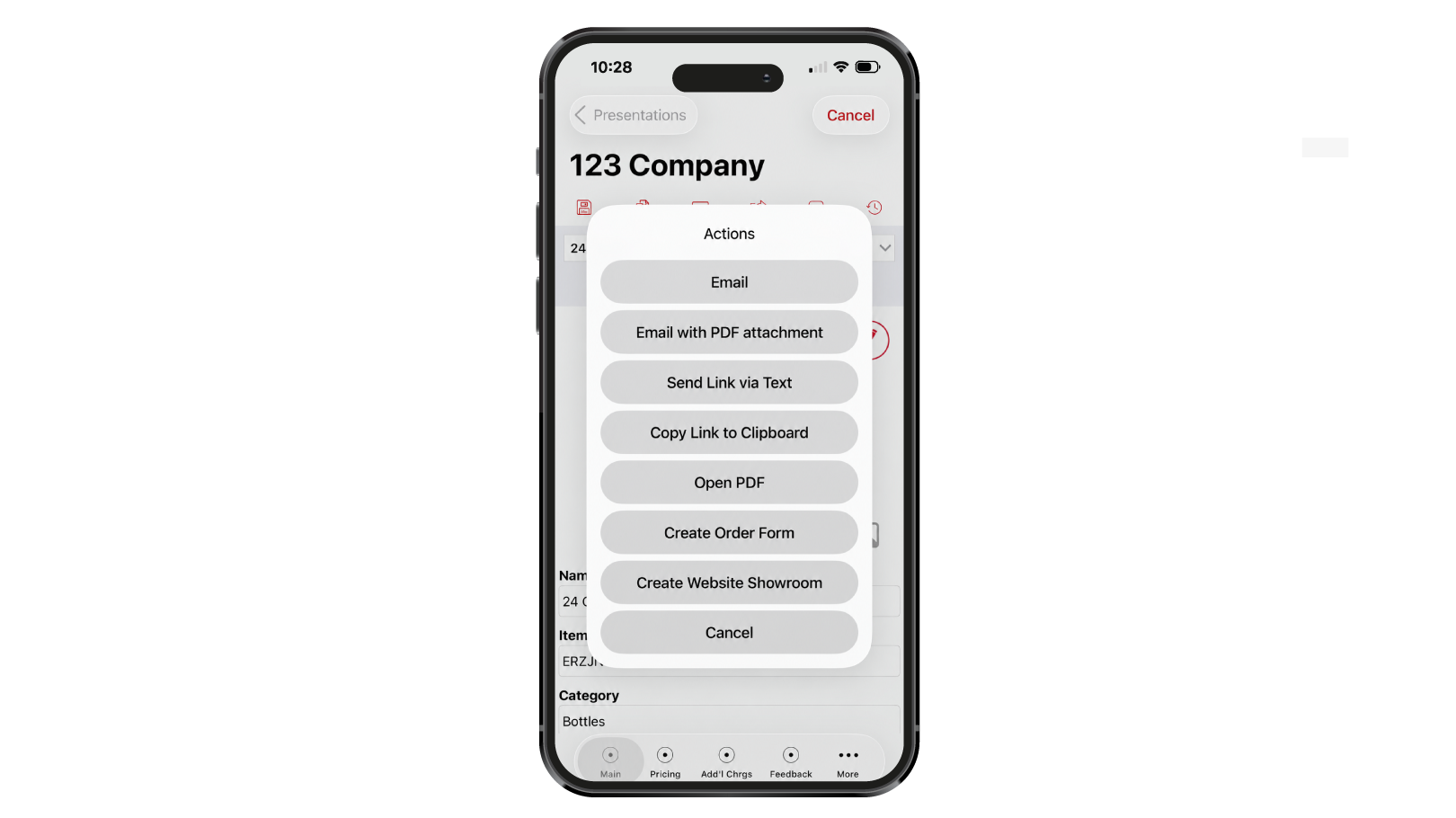
- Export presentation products to a SAGE Website showroom
- Drag and drop products to rearrange their order
Order Management
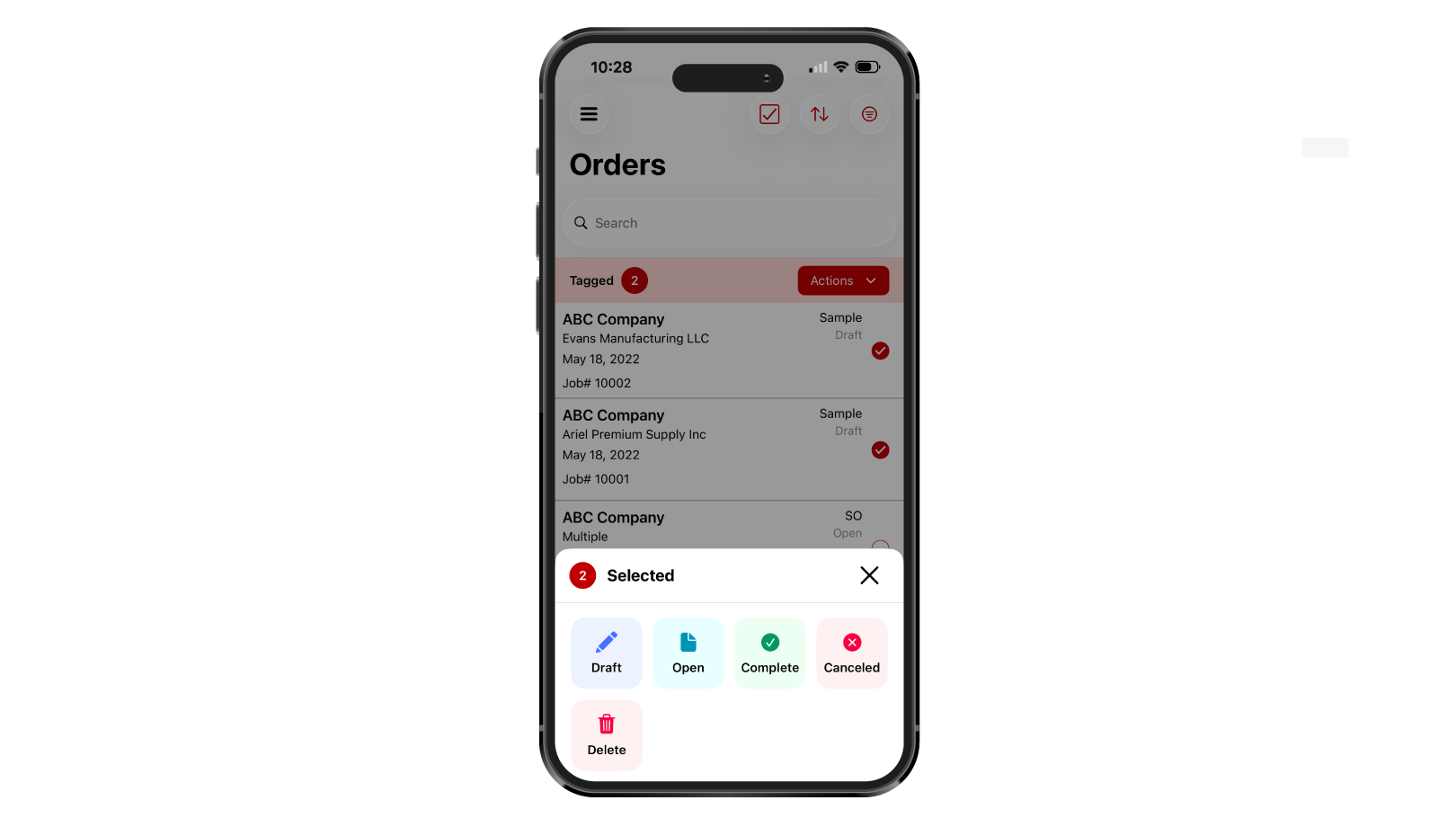
- Tag multiple orders and update their status at once
- Receive an alert when changing suppliers on supplier-facing forms

The Pro theme also received several helpful updates:
- See email account quotas at the top of the screen
- Give favorited folders custom nicknames
- Refresh your Calendar view
- Customize the work-week hours displayed on your Calendar
More Improvements, More Ways to Work Smarter
Whether you’re searching for products, building presentations, managing orders, keeping up with clients, or improving your website, these Q3 updates give you even more ways to get things done in SAGE.
Log in to SAGE Workplace and start exploring the latest features today.
0 Comments