


At SAGE, we’re continually enhancing our platform to help distributors work more efficiently, deliver exceptional customer experiences, and grow their businesses.
This quarter, our development teams delivered significant updates across the SAGE ecosystem, with a major focus on expanding the capabilities of the SAGE Workplace Web App while also introducing enhancements to SAGE Websites & Stores, SAGE Design Studio, SAGE Workplace Windows, SAGE Mail Services, and SAGEmember.com.

This quarter, we continued closing the gap between the Web App and Windows version by bringing more settings, workflows, and productivity tools to the browser.
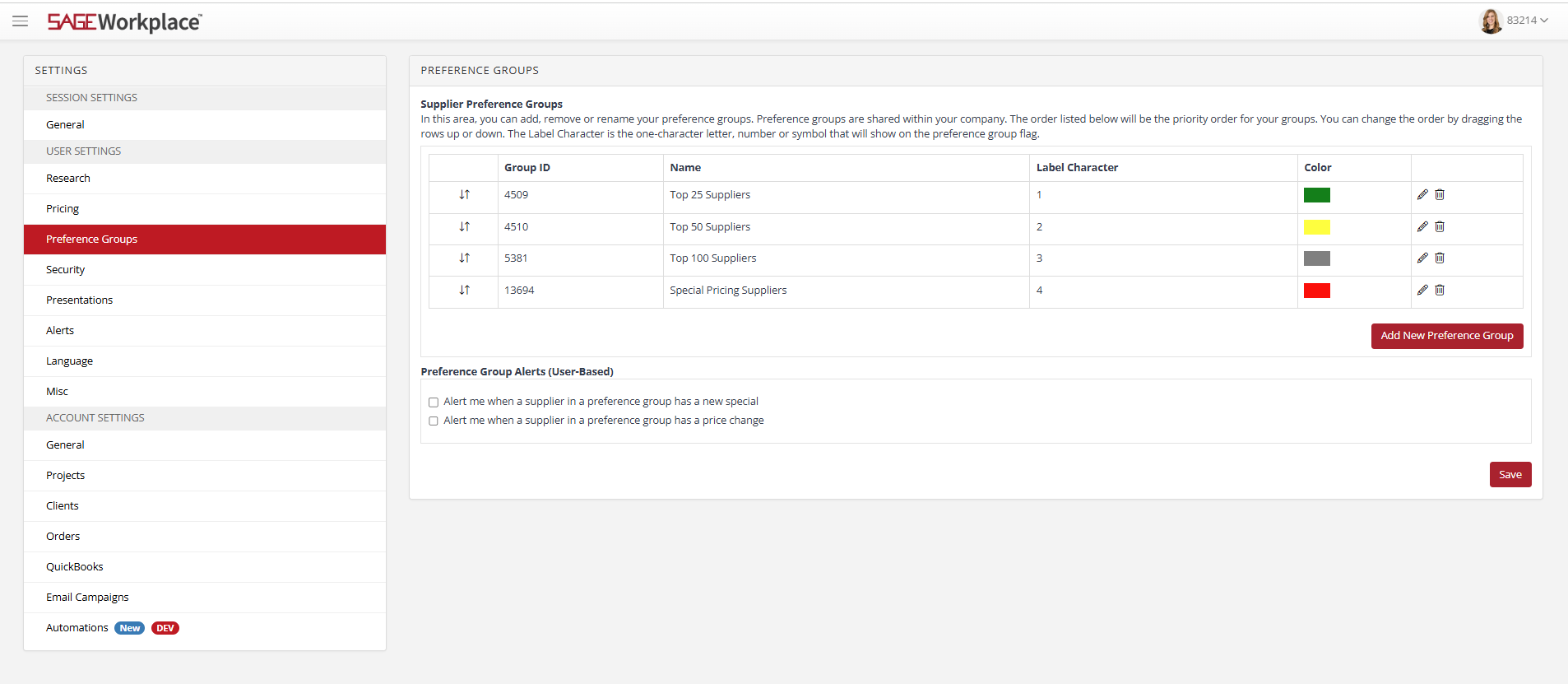
Expanded Settings
You can now manage more of your account without leaving the Web App.
New settings available include:
- Preference Groups
- Security
- General Account Settings
- Orders
- Clients
- QuickBooks Online Integration
Client Mode has also been expanded, giving you more control over:
- Navigation
- Supplier catalogs
- Product specials
Order Management
Several workflow improvements make managing orders faster and easier.
New features include:
- Improved QuickBooks Online import performance.
- Export individual order forms.
- Lock Bill To information on supplier forms.
- Include your email address on supplier-facing forms.
- Drag and drop files directly into orders.
- View supplier order status directly within the SAGE order history.
Research
Stay informed about your data.
You can now see when:
- My Product Personal Info
- My Supplier Personal Info
were last updated, making it easier to track data freshness.
Presentations
One of our largest updates this quarter includes numerous improvements to Presentations.
New capabilities
- Drag and drop images directly into presentations.
- Centered gallery images for a cleaner appearance
- Improved display of lifestyle images
- More flexible PDF exports
- Select individual client contacts instead of only the primary contact.
- Adjust profit margin percentages directly from the Pricing tab.
- Automatically update all pricing after margin changes.
- Translate entire presentations into another language.
- Easily identify and update outdated pricing.
- Export Presentation Dashboard data to Excel or CSV
- Add individual products to an order form from a presentation.
File Center
Finding files is now easier.
Search folders by:
- File name
- Date
CRM
Save time when creating new clients.
Account-level defaults now automatically apply to new client records, including:
- Dashboard settings
- Payment settings
- Private visibility settings
Projects
Project management continues to improve.
You can now:
- Display supplier name
- Display SAGE number
- Display item number
- Drag and drop artwork or proofs directly into projects.
Email Campaigns
Building campaigns is now even easier.
New improvements include:
- Drag and drop images directly into emails.
- Sort distribution lists by any column

This quarter’s Windows updates focus on improving presentation quality and supplier communications.
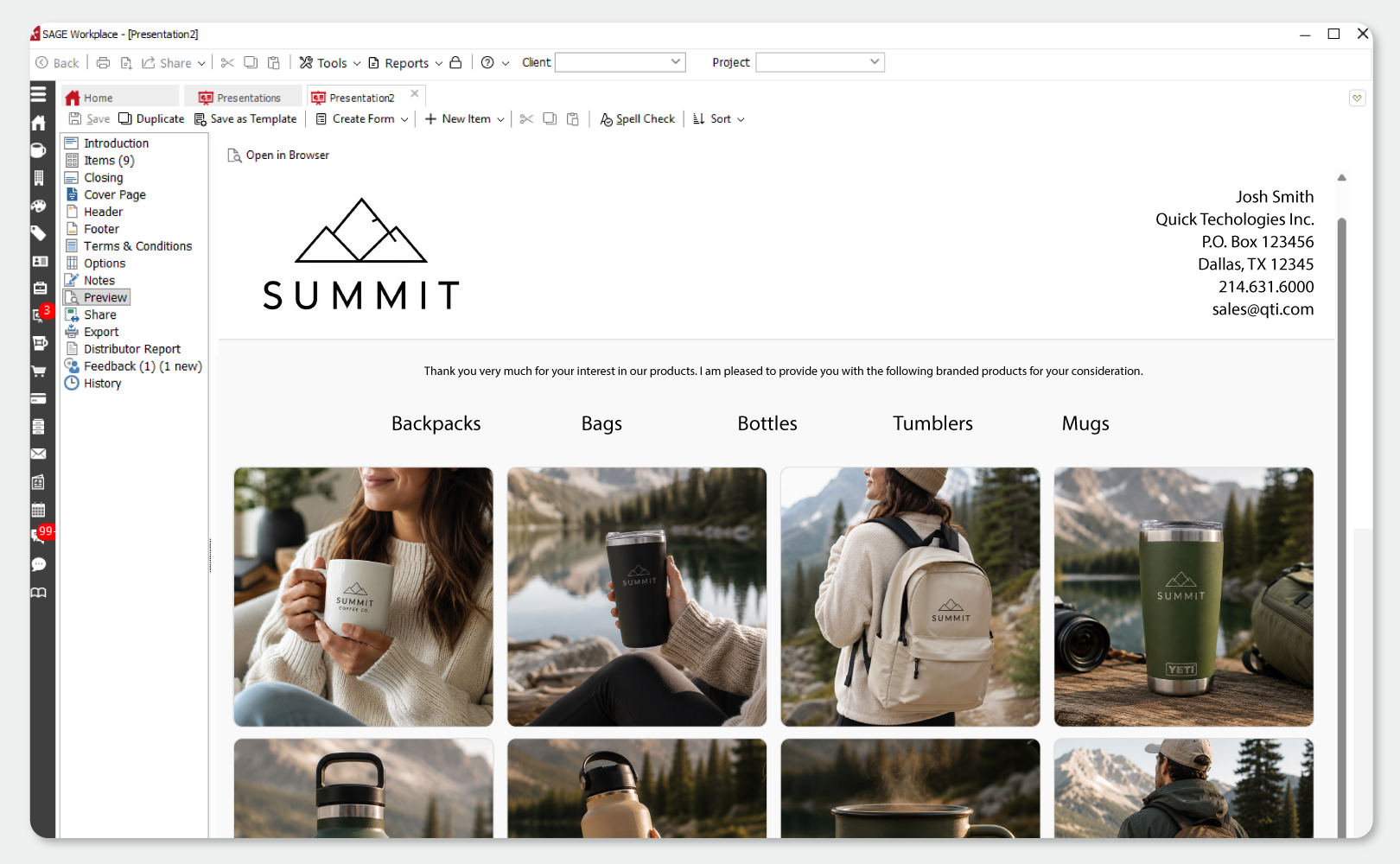
Presentations
- The header appears only on the first PDF page when “Same as First” is unchecked.
- Centered gallery images
- Improved square display of lifestyle images
Order Management
- Supplier-facing forms now include the sender’s email address in the header.

This quarter brings major improvements to website customization, navigation, e-commerce, and performance.
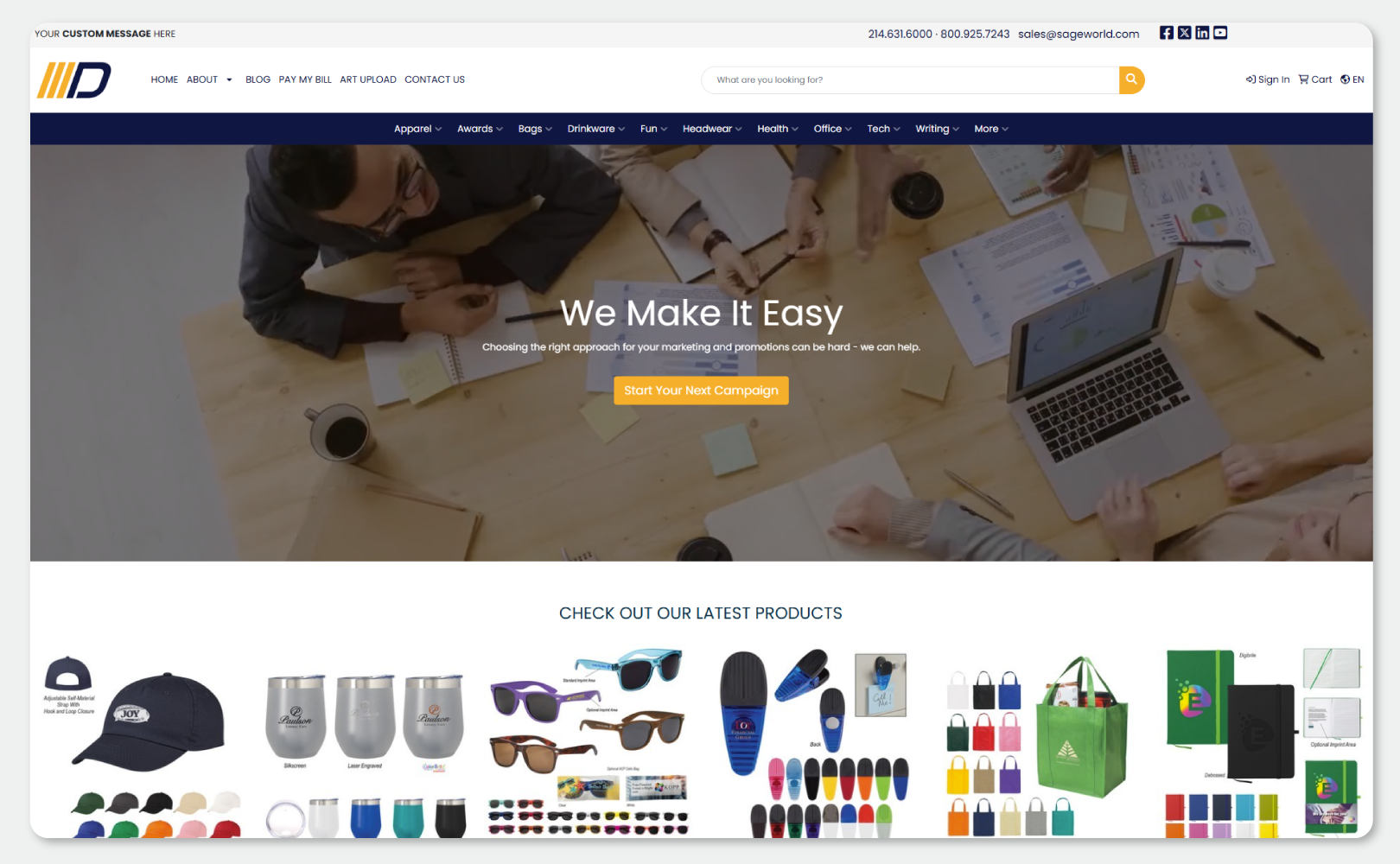
Design Improvements
Customize your site with the Custom Page Builder even more with:
- Background videos
- Color section backgrounds
- Gallery widget supporting 3–6 images per row.
- Adjustable Content Slider speed
- Access to every Google Font
E-commerce Improvements
Packing slips now include:
- Customer email
- Shipping method
- Cart notes
- Shipping notes
- Store email address
Shipping labels now display customer information even when billing or shipping details aren’t collected.
Product Browsing
Customers can now enjoy:
- Faster product detail pages
- Up to 250 products per page
- Optional drill-down filtering
Showrooms now prevent customers from adding out-of-stock product variations to their cart.
Forms
New Form Builder fields include:
- State/Province dropdowns
- Country dropdowns
- Zip/Postal Code with built-in validation
- Support for multiple billing and shipping addresses
The Pay My Bill page now uses State/Province dropdowns for U.S. and Canadian addresses, helping reduce data entry errors.
Navigation
Website navigation has been modernized with:
- New primary navigation
- Mobile drawer menus
- “More” overflow menu
- Hover-enabled secondary menus

Several enhancements make Design Studio more flexible and easier to use.
New Features
- WEBP image support
- Reset objects from the Layers menu.
- New patterns in the color picker
- Transparent backgrounds on product images
- Flip and mirror images.
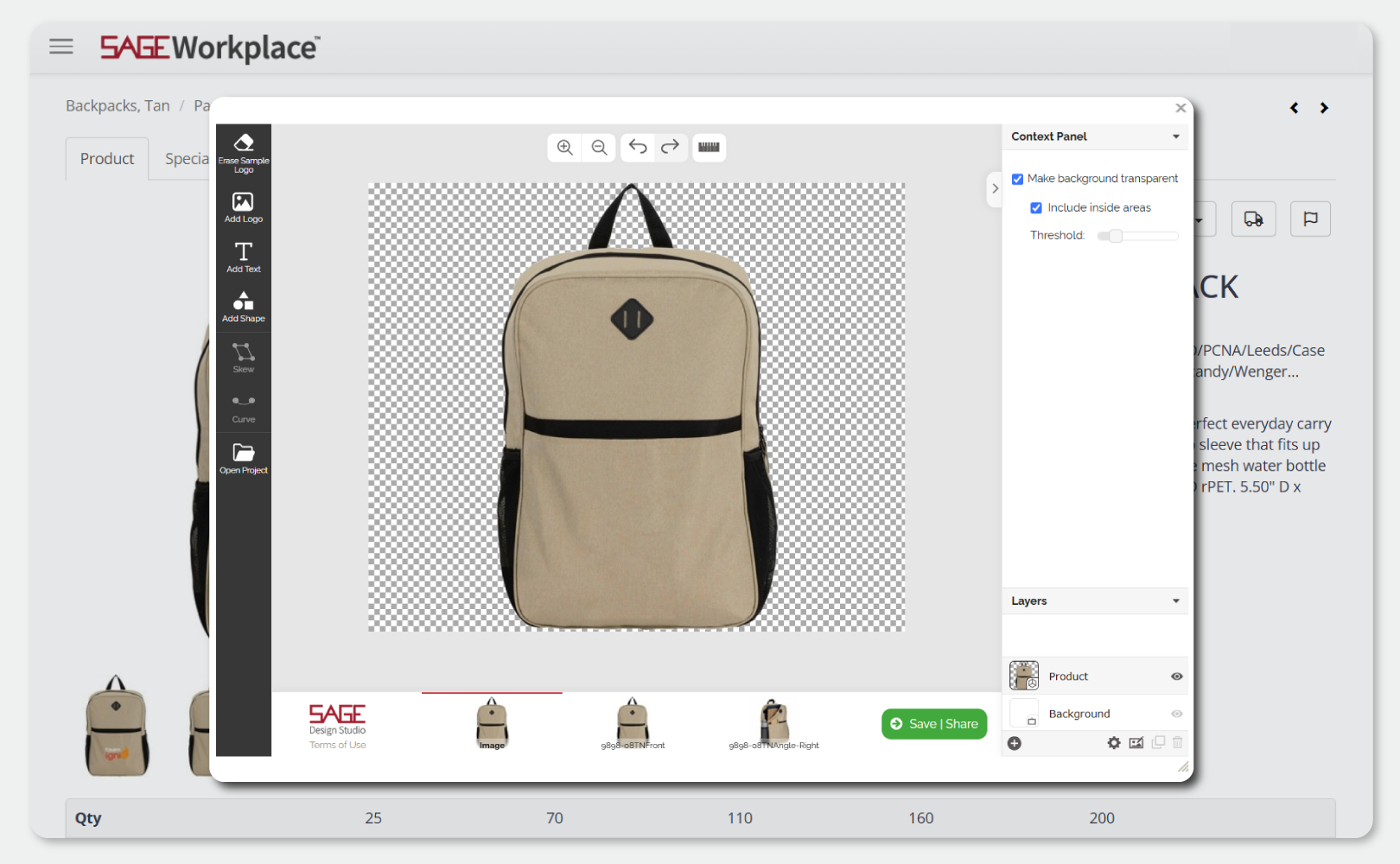
Improved Transparency Controls
Default transparency settings now provide greater control, while an improved threshold slider delivers cleaner background removal.

To improve email deliverability and protect against spam, we’ve strengthened outbound email authentication.
SAGE Mail Services now supports:
- Automatic DKIM signing
- Full DMARC support
- SPF authentication
If SAGE manages your DNS records, no action is required.
If you use another DNS provider, you’ll need to update your DNS records to enable DKIM and ensure DMARC functions properly.

Managing form submissions is now more flexible.
You can now:
- View archived form responses.
- Restore archived submissions
- View unique Submission IDs
- Search using Submission IDs
Looking Ahead
These enhancements reflect our continued commitment to building a more connected, efficient, and modern SAGE platform.
Whether you’re managing websites, creating presentations, processing orders, researching products, or administering your account, every update is designed to help you work smarter and serve your customers more effectively.
Thank you for your continued feedback and feature requests. They play a critical role in shaping the future of SAGE, and we’re excited to bring you even more improvements in the months ahead.
0 Comments